26
ADVANCED OPERATION
Changing the Each
Settings
The each setting can be changed
individually.
1
Turn the radio ON with press and
holding the V/M and SQL buttons.
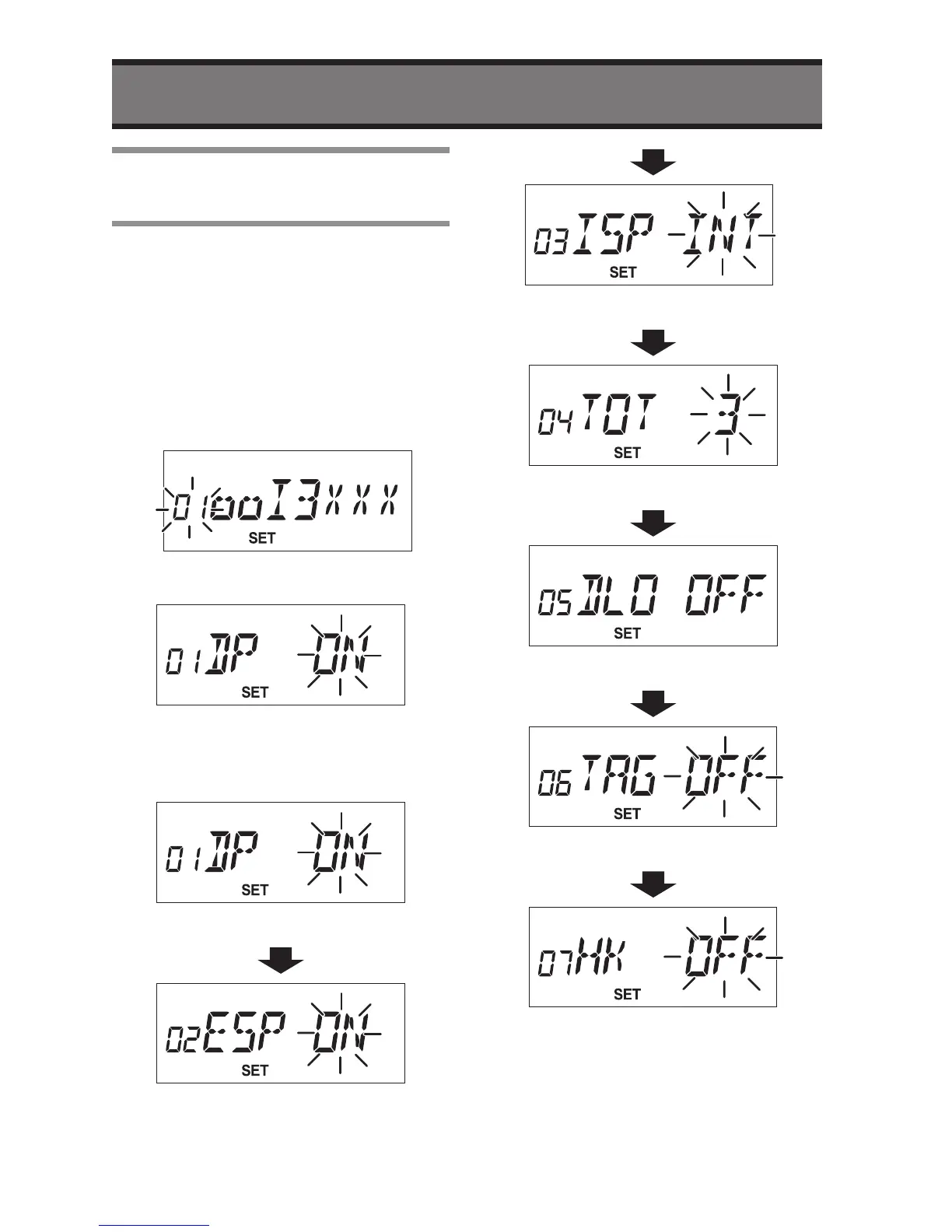
• The “SET” icon with setting status will
be displayed.
2
Select the setting number (and the
number becomes flashing).
3
Press the rotary knob.
• The individual setting will displayed.
4
Press the rotary knob to get desired
change.
Beep tone
External speaker setting
Internal speaker setting
Time out timer
Busy lock out
Memory tag
On hook function
5
Turn the radio OFF after the
changing completed.


 To Next Page