q
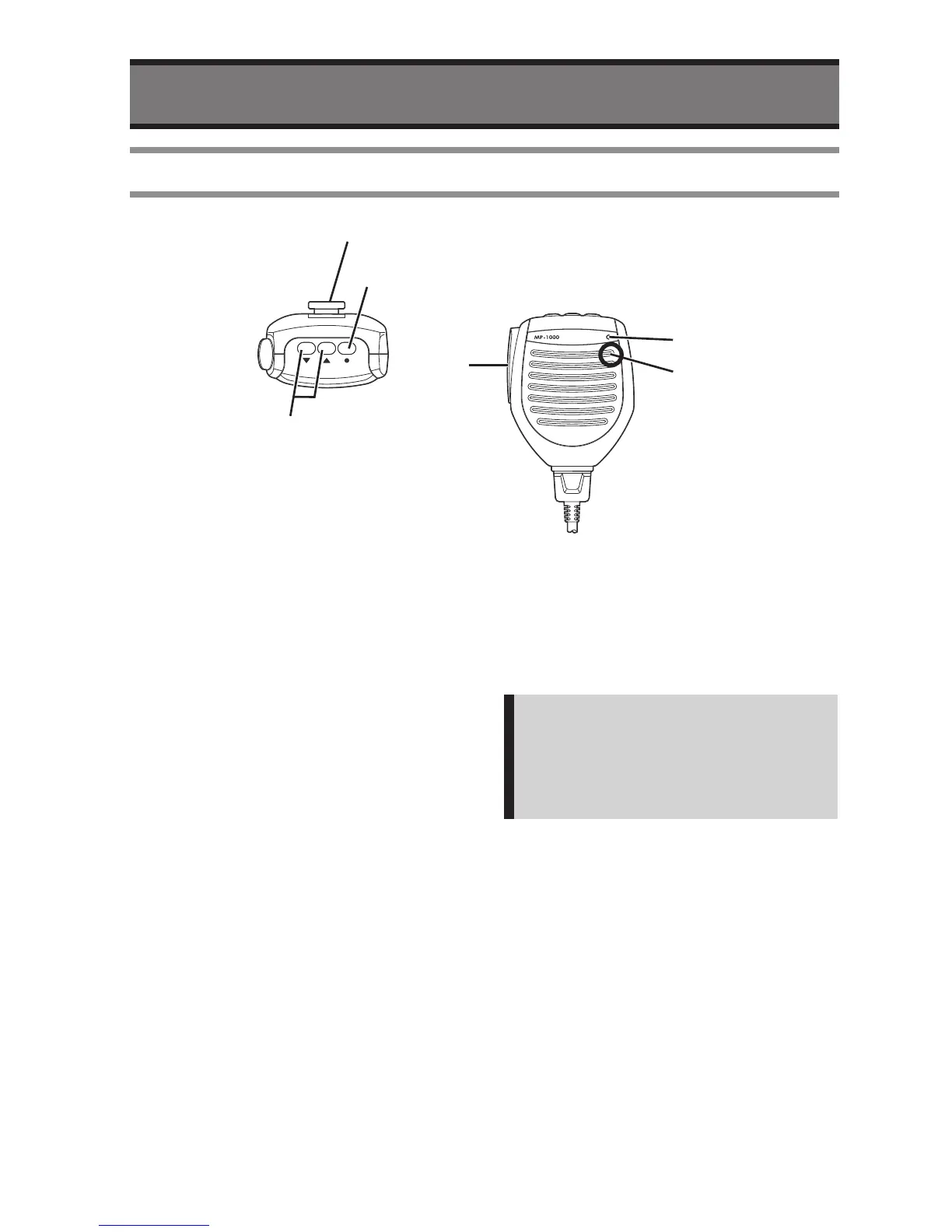
Volume UP/DOWN
• Decrease audio volume by press the
v
button, and increase by
c
button
w
Monitor Button
• Press the button makes the radio in
monitor mode.
e
PTT (Push To Talk)
• Press the button makes the radio to
transmit mode, and release to receive
mode.
r
Microphone
• Speak into the circled area when
talking.
Note:
There is a microphone element in the
circled area. The sound becomes
unclear if it doesn’t speak toward the
circled part.
t
Busy Indicator (Green)
• It will become Green while somebody is
talking, or squelch is open.
y
Hanger
• It is a metal hanger to hook the
microphone.


 To Next Page