Flowserve.com 13 PUIOM000650-00-UIM (EN/HL) August 2022
SEM-100 and SEM-100FT User Instructions
7. Press “UP” and “DOWN” arrow keys to enter the amount of uid that
was pumped in the desired units.
Note: The display will return to the Current Total screen and read the
previous total.
Note: “Err” will be displayed if too few or too many counts have been
received during the calibration. A volume between 0.5 to 20 units must
be recorded for a valid calibration. If “Err” is displayed, no calibration
change has taken place.
CAL-3 Calibration:
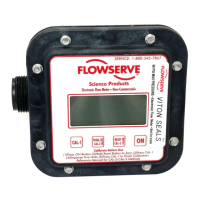
1. Press “CAL-1” to enter calibration mode.
2. Press “CAL-3”. The current CAL-3 number will show.
3. Press the “UP” and “DOWN” arrow keys to adjust to a known
CAL-3 number.
4. Press “CAL-1” to enter the new number and complete the calibration
process.
Note: Use of the CAL-3 function will override any previous calibrations.
Note: A typical “CAL-3” number for water is 600. Recording the
“CAL-3” numbers for specic uids after calibration, and resetting the
meter to those numbers when the uid is pumped again is a convenient
method to quickly and accurately calibrate the meter.



 To Next Page