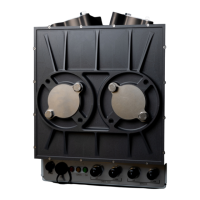
FGM 160 Operating Instructions
• Comm
This LED will light:
GREEN; during Modbus frame reception or sending.
• Meas
This LED will blink GREEN at a regular cycle, indicating that ultrasonicmeasurement cycle
sequence is active.
4.5 Error Check and Troubleshooting
The operator should not perform extensive troubleshooting beyond the scope that is described
in this section. For repair and module replacement, contact Fluenta AS.
Fluenta AS
Haraldsgate 90
P.O. Box 420
N-5501 Haugesund
NORWAY
Phone: +47 21 02 19 27
E-mail: support@fluenta.com
NOTE!
Before any work can be carried out with the FGM 160 field computer, a hot work permit
must be obtained.
Do not connect or disconnect any signal wires unless the power is turned OFF!
Do not open the Ex-d enclosure containing the field electronics in hazardous area,
without making sure first that the conditions permit such action. Preferably, and as a
general rule; the Ex-d enclosure should only be opened indoors in e.g. a workshop in
safe area.
4.5.1 Error Check with Local Display
As described in Section 4.4, Four (4) LEDs are visible at the front with status information. If
one or more of these LEDs do not have a GREEN light color indicating OK status, the following
status is present and actions should be taken:
• Power
Indication: The LED is not ON (no green light).
Status: System Power is OFF, or LED does not work.
Action: Check that the system Power wires are connected and that 24 VDC is
present at the power input terminals.
• Meas
Indication: The LED is steady OFF or steady GREEN.
Status: The FGM 160 is not in standard operational (measurement) mode.


 To Next Page