15
Operating Your Television
Audio Menu Options
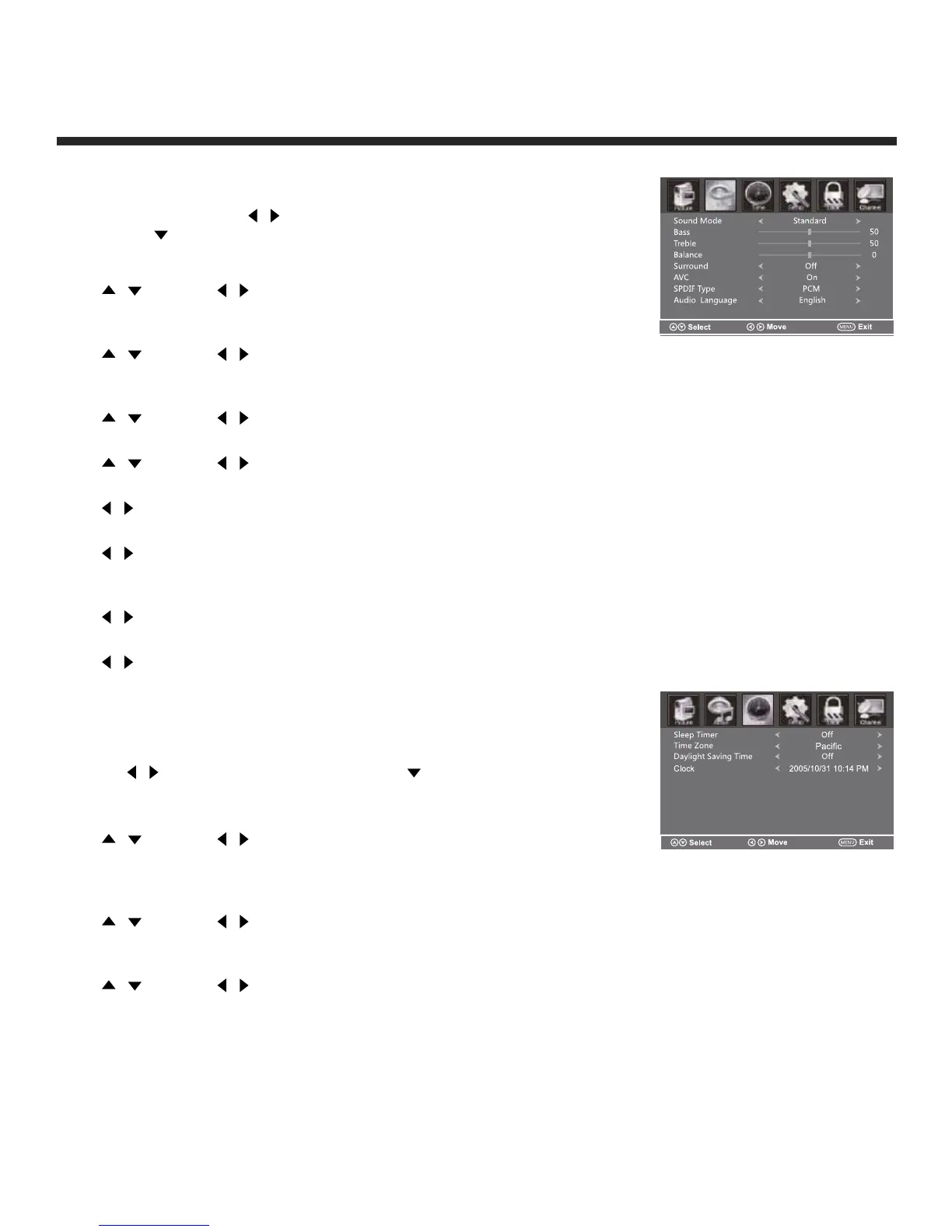
Press MENU on the main unit or on the
remote control then use
/ to select the AUDIO
menu. Press to enter (see picture).
Sound Mode
Press
/
then use
/ to select User, Standard, Music, Movie
and Sports.
Bass
Press
/
then use
/ increase or decrease the level of the
lower-pitched sounds.
Treble
Press
/
then use
/ to increase or decrease the level of higher-pitched sounds.
Balance
Press
/
then use
/ to adjust the audio output between left and right speakers.
Surround
Press
/ to switch Surround On or Off.
AVC (Auto Volume Control)
Press
/ to switch auto volume control On or Off. This function allows volume to be controlled
automatically.
SPDIF Type
Press
/ to select between PCM or RAW.
Audio Language
Press
/ to select the audio language from: English, French and Spanish.
Time Menu Options
Press MENU on the side panel or on the remote control
then use
/ to select the TIME menu. Press to enter
(see picture).
Sleep Timer
Press
/
then use
/ to set the sleep timer from the following
selections:
Off, 5 min, 10 min, 15 min, 30 min, 60 min, 90 min, 120 min, 180 min or 240 min.
Time Zone
Press
/
then use
/ to set up the time zone:
Pacific, Alaska, Hawaii, Eastern, Samoa, Atlantic, Newfoundland, Central or Mountain.
Daylight Saving Time
Press
/
then use
/ to set up the daylight saving time On or Off.
Note: Can only be selected in TV mode.


 To Next Page