6
Getting Started
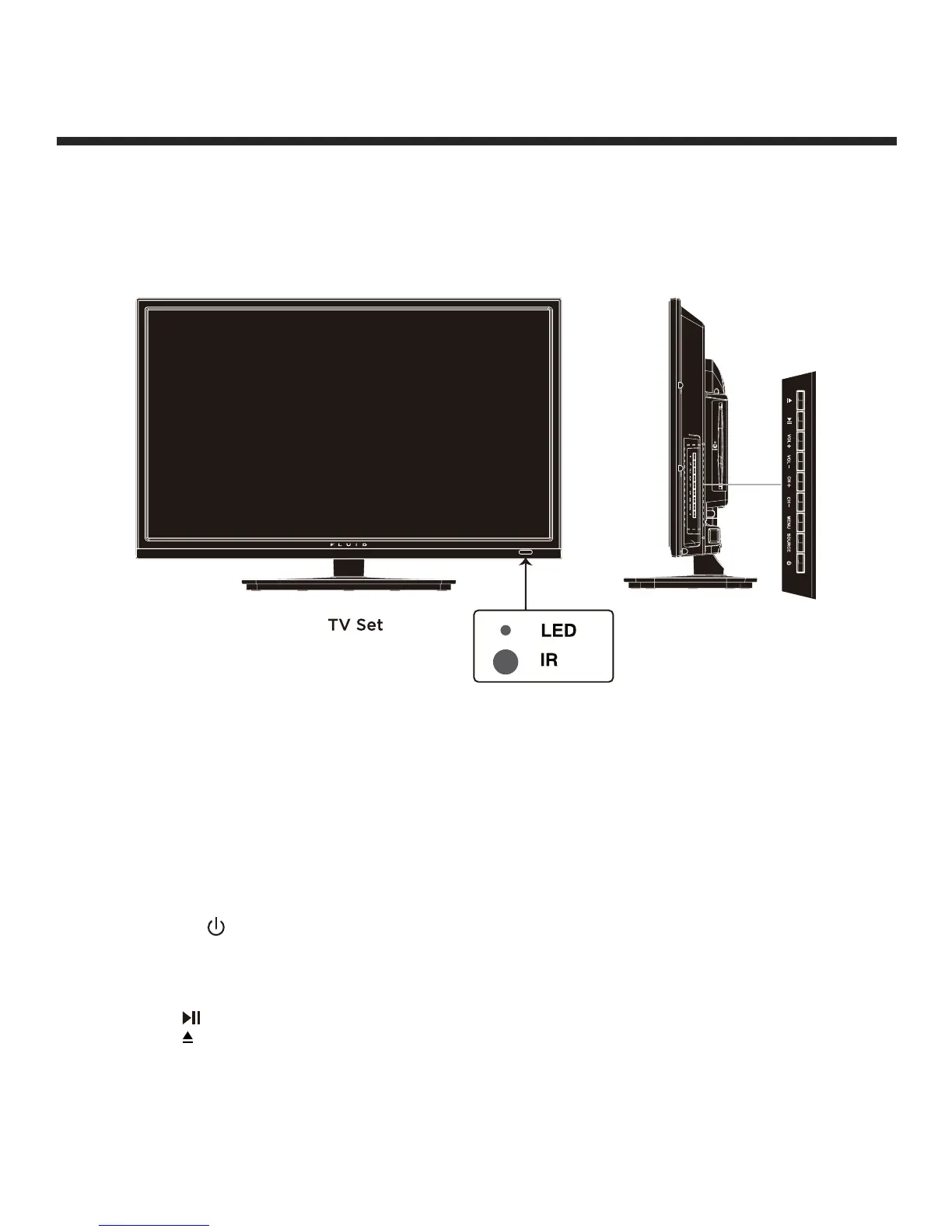
Front/Side View
Button Functions
1.
POWER : Turns on/standby the TV set
2. SOURCE : Displays the input source menu
3. MENU : Displays the OSD menu. Press again to exit the menu
4. CH +/- : Scans through channels
5. VOL +/- : Adjusts the volume
: Play/Pause button for DVD
: Open/Close button for DVD
IR: Infrared Receiver
LED: The LED light indicates when the TV is activated


 To Next Page