29
DVD Functions
Playing Multimedia Discs
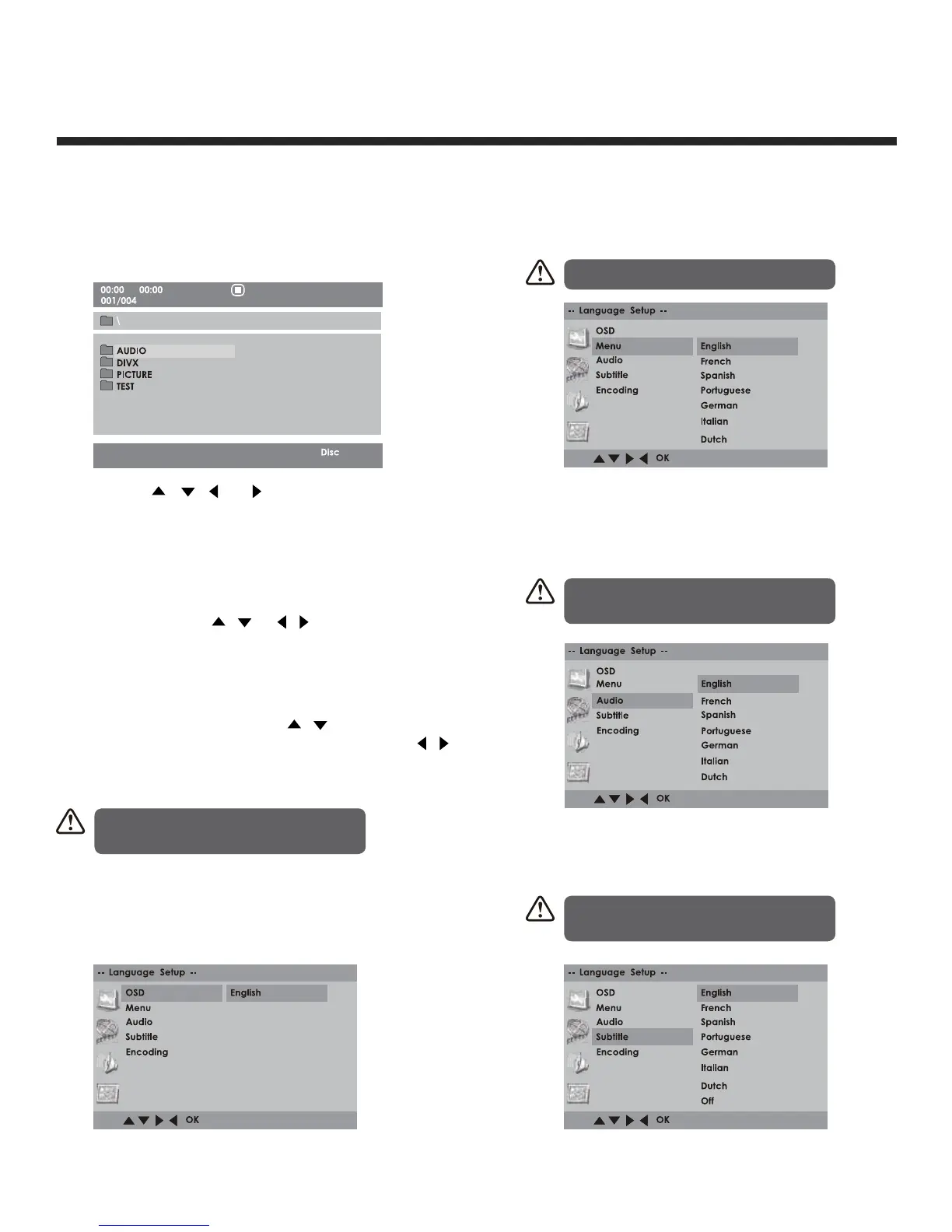
After loading the multimedia disc, the disc contents
will automatically be displayed and sorted by
different file formats into Music/Picture/Video
folders.
1. Press the
/
/
/ buttons to navigate
through the folders and files.
2. Press the 0-9 buttons to select the contents
directly .
3. When playing or pausing with picture playback,
you may use the
/
or
/ buttons to flip/
rotate the picture.
Using the DVD Language Setup Page
In the DVD mode, press the DVD.SETUP button on
the remote control. Press the
/
buttons to select
the Language Setup menu and then press the
/
buttons to select the menu options. Press the DVD.
SETUP button to exit the menu.
OSD
Set the OSD language to your language of choice.
Using the DVD Language Setup Page
Menu
DISC MENU: Select the Disc Menu language.
Audio
Set the Audio language to your language of
choice.
Subtitle
Select the Subtitle language.
In Setup mode, the disc playback
function will not be available.
Not all DVD discs support multiple
audio languages.
Not all DVD discs support multiple
audio languages.
The default language is English.


 To Next Page