10
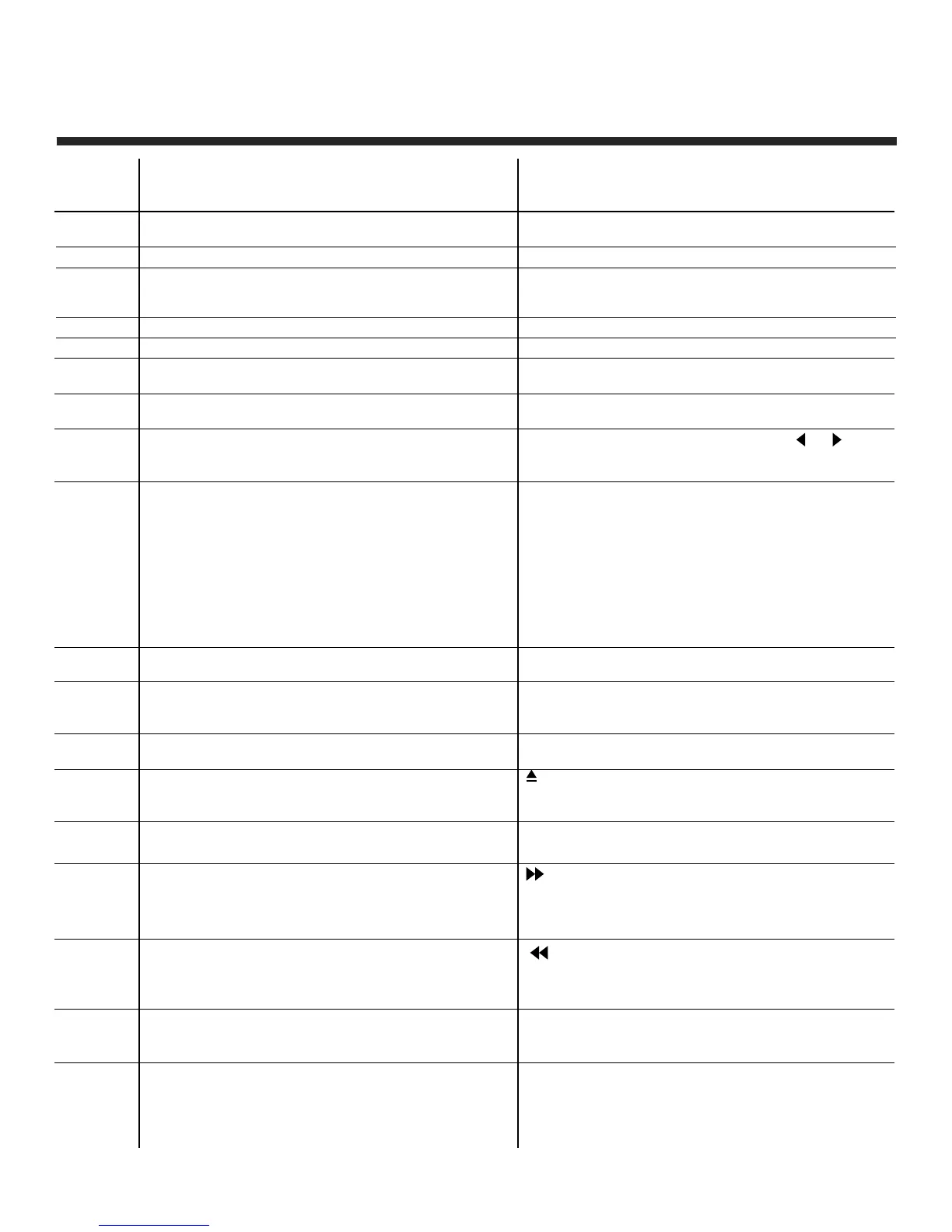
Remote Control Button Functions
TV Functions
POWER: Power on/off button, press once to turn
TV on and press again to turn TV off.
0, 1-9: TV channel selection button.
— : Press this button to enter a program
number for multiple program channels
such as 2-1, etc.
S.MODE: Sets the sound mode.
P.MODE: Sets the picture mode.
SOURCE: Signal source selection button (TV/AV/
Component/DVD/HDMI/VGA).
CH +/- : Channel selection button, to increase or
decrease the channel.
EPG: Electronic Program Guide Function.
FREEZE: Freeze picture for TV.
e / d : (Up/Down) Up and Down button of OSD
menu. To change the OSD menu items.
f / g : (Left/Right) Left and right button of
the OSD menu. To select the OSD menu
items.
MENU: OSD menu button, to enter the TV set up
menu.
CH.LIST: Display program list.
CC/DVD MENU: Closed Caption select button OFF,
ON or CC ON Mute.
NEXT
V-CHIP: Parental control set-up.
MUTE: Mute button, press once to disable the
audio and press again to enable the
audio.
Button
Position
1
2
3
4
5
6
7
8
9
10/28
11/27
12
13
14
15
16
17
18
DVD Functions
GOTO: Press GOTO button and then or to
choose Title, Chapter or Time, then press OK
button to enter the selected play mode.
REPEAT: Press REPEAT button to repeat a title,
chapter, track, chapter repeat or whole
disc. When playing DVD disc, press REPEAT
button continually, the TV screen shows
chapter repeat, title repeat, all repeat,
repeat cancel. When playing VCD, CD disc,
the options are track repeat, all repeat,
repeat cancel. When playing MP3 disc, the
options are single repeat, track repeat, file
repeat, all repeat, repeat cancel.
: Press OPEN/CLOSE with the power on. The
disc label should be facing towards the back.
Press OPEN/CLOSE again to close.
I : When playing a DVD disc, press NEXT to
go to the next chapter. When playing SVCD,
VCD disc, press NEXT to go to the next
track.
I
: When playing a DVD disc, press PREV to
go to the previous chapter. When playing
SVCD, VCD, CD disc, press PREV to go to
the previous track.
DVD.SETUP : Press SETUP button to open DVD
setting menu.


 To Next Page