7
Getting Started
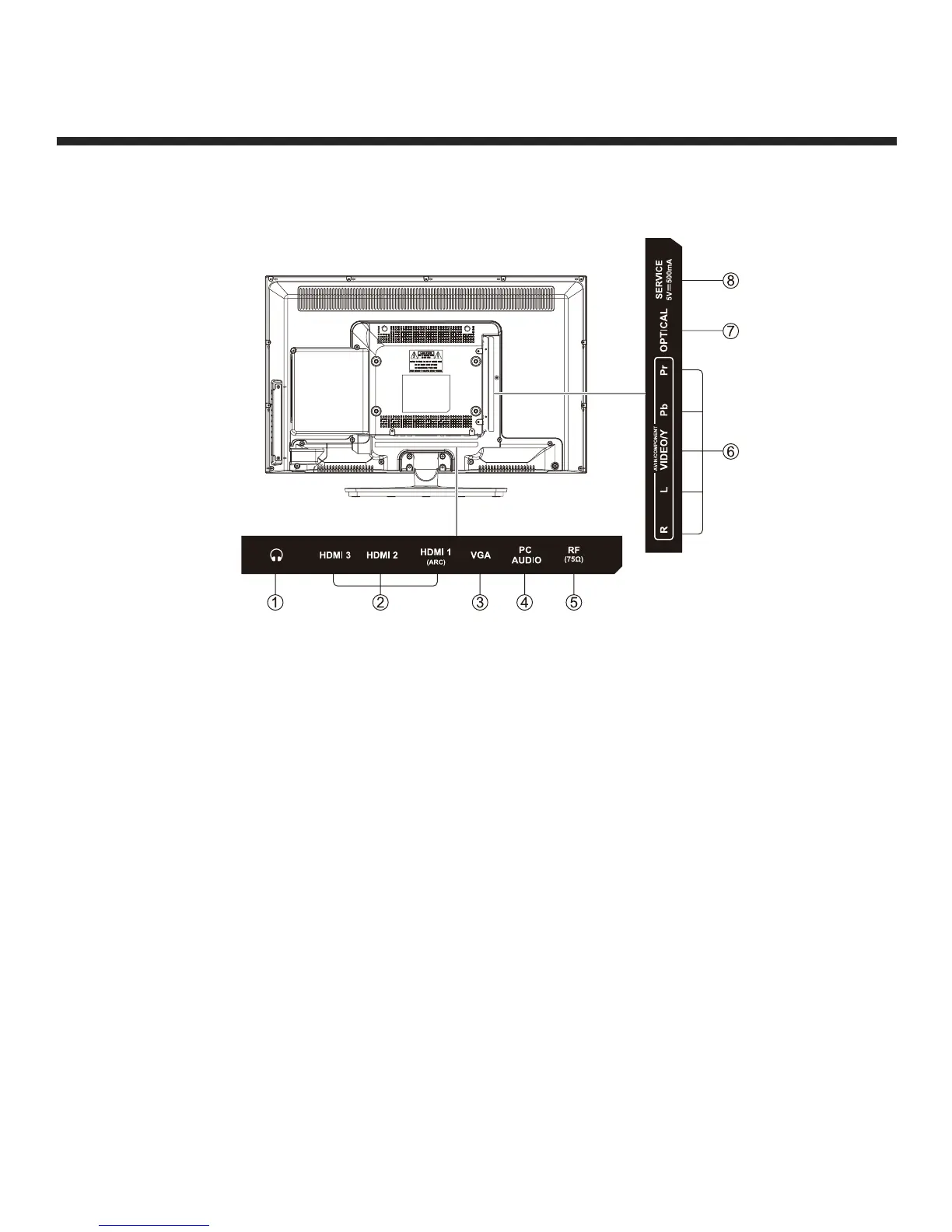
Rear View
1. Headphone output
2. HDMI inputs
3. VGA input
4. PC audio input
5. Antenna input (75 Ohm VHF/UHF)
6. Component and audio input terminal
7. Optical output
8. Service Port
Wall Mounting
The TV is provided with mounting holes for a VESA approved wall mounting bracket (NOT
SUPPLIED). The VESA mounting pattern is 200 x 100. Remove the screws holding the base to
the base bracket and lift the base away (do not remove the base mounting brackets). Mount the
VESA bracket using 4 x M5 isometric threaded screws (not supplied).
Caution: Your new TV is heavy; please consult with a professional wall mount installer to perform
this installation.


 To Next Page