25
DVD Functions
MP3 / JPEG Playback
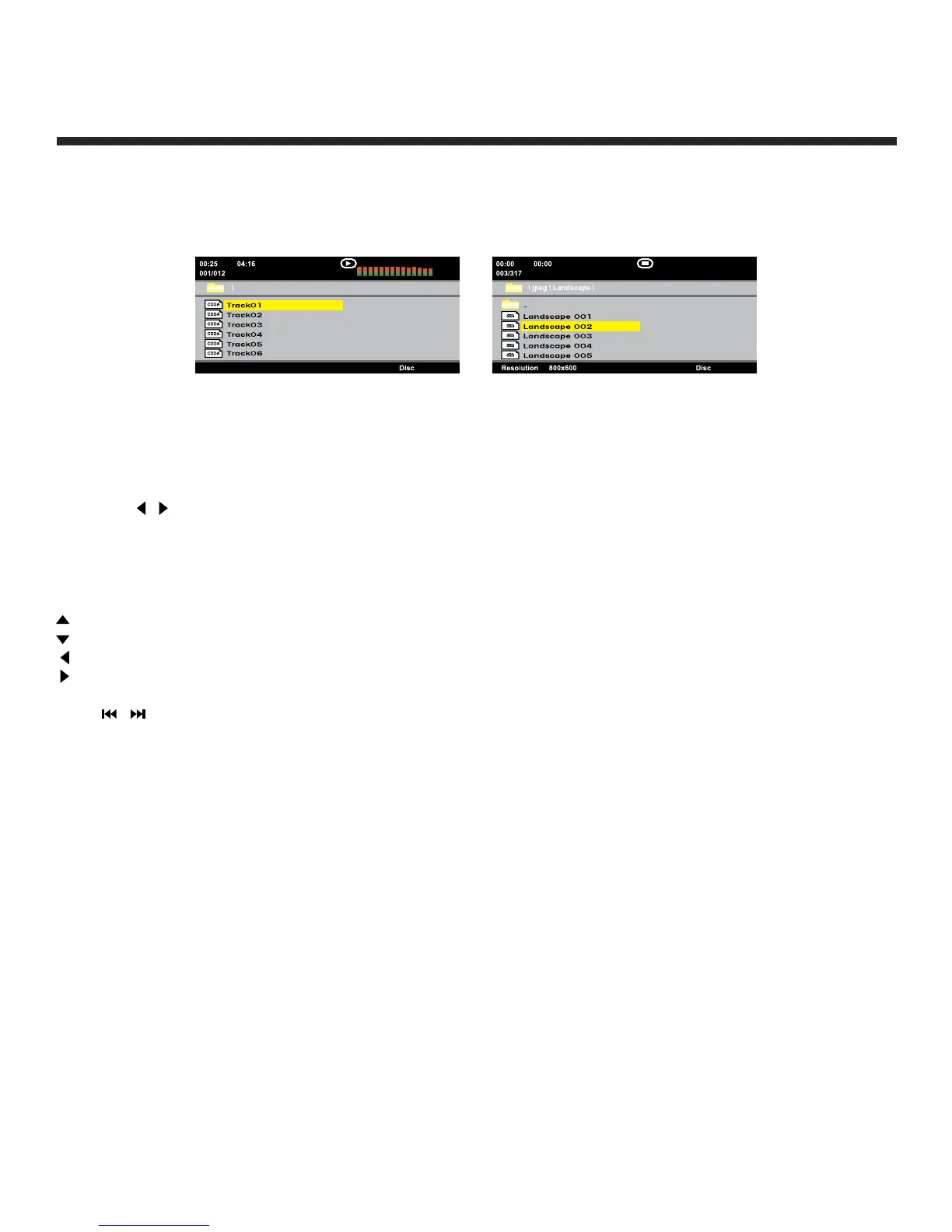
After loading the MP3/JPEG disc, it will start to scan for the stored MP3/JPEG folders. The folder will
display the MP3 contents automatically and start to play the first file (highlighted file). Screen will show as
below:
Use the navigation buttons to check for your favourite folder and playback the first file or move to your
favourite file.
NOTE:
Press the
/ buttons to move the highlight to folders, documents or mode selection.
Press the numeric buttons to select the contents directly. For numbers over 10, press the - button first
(eg. for file number 15, press - and 5).
When playing MP3 files, there is no picture display, only audio output.
When playing or pausing with picture playback, you may use the navigation buttons to flip/rotate the picture.
button to flip horizontally
button to flip vertically
button to rotate left 90°
button to rotate right 90°
Press / buttons to select next/previous page or press numeric buttons to view the corresponding
pictures.
MP3 File JPEG File


 To Next Page