observing
that
the meter pointer
indicates
a cor-
responding
positive
or
negative full-scale
(±1)
±1
small division.
INPUT DC VOLTAGE
(±0.
3%)
RANGE
±1 1
±10 10
±100 100
±1000 1000
Figure 4-12. TVM RANGE CHECKS
in.
Remove
the
dc
input voltage
and connect a dc dif-
ferential voltmeter between A4TP17
and
the
LO
INPUT
terminal.
n.
Place the RANGE
switch
to 100 and the Readout
dials to 00. 000 and record the dc differential volt-
meter
indication.
0 .
Place
the RANGE switch to 1000
and adjust A3R8
for a
dc voltage
within
±10 millivolts of the
voltage
recorded in step n.
p.
Disconnect
tte
dc
differential
voltmeter
and connect
an oscilloscope
ground lead to the
LO
INPUT ter-
minal
and the input lead to terminal
1
of
the
A4
Null
Detector
Assembly.
q.
Place
the RANGE switch to 1000 and the Readout
dials
to
100.
QS.
Adjust
A3R5 for
minimum
ampli-
tude of
the
3
kHz squarewave
observed on
the
oscilloscope
CRT.
4-51. KELVIN- VARLEY DIVIDER CALIBRATION
4-52.
To
calibrate the Kelvin-Varley
Divider,
apply
ac
power
to the instrument and proceed
as
follows:
a.
Place
the
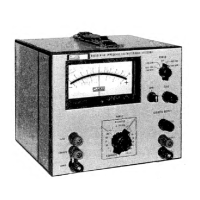
Model 893 controls
as follows:
POWER
RANGE
NULL SENS
MODE
Readout dials
ON/LINE
OPR
10
.001
0.01 00
b. Apply a dc
input
voltage between the
LO and HI
INPUT terminals
and adjust its
level
to
obtain a
zero-center
meter pointer indication.
c. Place the Readout
dials to 0. 00
X
and
adjust A5R36
for a
zero-center
meter pointer
indication.
4-53. DC VOLTAGE RANGE CALIBRATION
4-54.
To calibrate the
DC
Voltage Ranges of the Model
893,
apply ac power to the instrument
and
proceed
as
follows:
a.
Disconnect the shorting
link from the
LO INPUT
terminal and place the
Model
893
controls
as
follows;
POWER
RANGE
NULL SENS
MODE
Readout
dials
ON/LINE
OPR
1000
.
1
+
1000. 00
b. Apply a dc calibration voltage
of
1,
000 ±0. 002%
volts dc between the LO and HI INPUT
terminals
and center the adjustment A2R26, observing that
the
Model 893
meter
indicates
center-zero
±6
md.
c. If the result
of
step
b
is obtained, proceed with
step
f. If
the
desired results are not obtained,
perform steps
d
through
f.
d.
Remove ac power
to the instrument
and connect
the
jumpers
illustrated in Figure
4-13
between
their
respective
circuit board
connections.
e. Reapply ac power to the instrument and, using the
information
provided in Figure
4-14,
clip
the
cor-
responding
jumper
or jumpers.
A B
Figure
4-13.
JUMPER
WIRE LOCATION
9/22/71
4-15
8 9.3 A



 To Next Page