SMFT-1000
Users Manual
10
Buttons
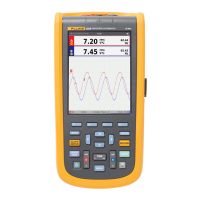
Use the buttons to control operation of the PV Analyzer, select test results to view, and scroll
through selected test results. See
Ta b l e 4 .
Table 4. Push Buttons
Item Button Description
A
Shows illustrations and instructions for setup and test function
based on rotary dial position.
B
Save
C
Function selection
D
Use the up/down button to select features on the display. See
specific test instructions for more information.
E
Power on/off
F
Backlight on/off and intensity. Continuously push to cycle
through the intensity levels.
G
Start the selected test
H
Voltage warning
2
1
3
4
8
5
6
7






 To Next Page