Ti100, Ti110, Ti125, TiR110, TiR125
Users Manual
14
SD Memory Card
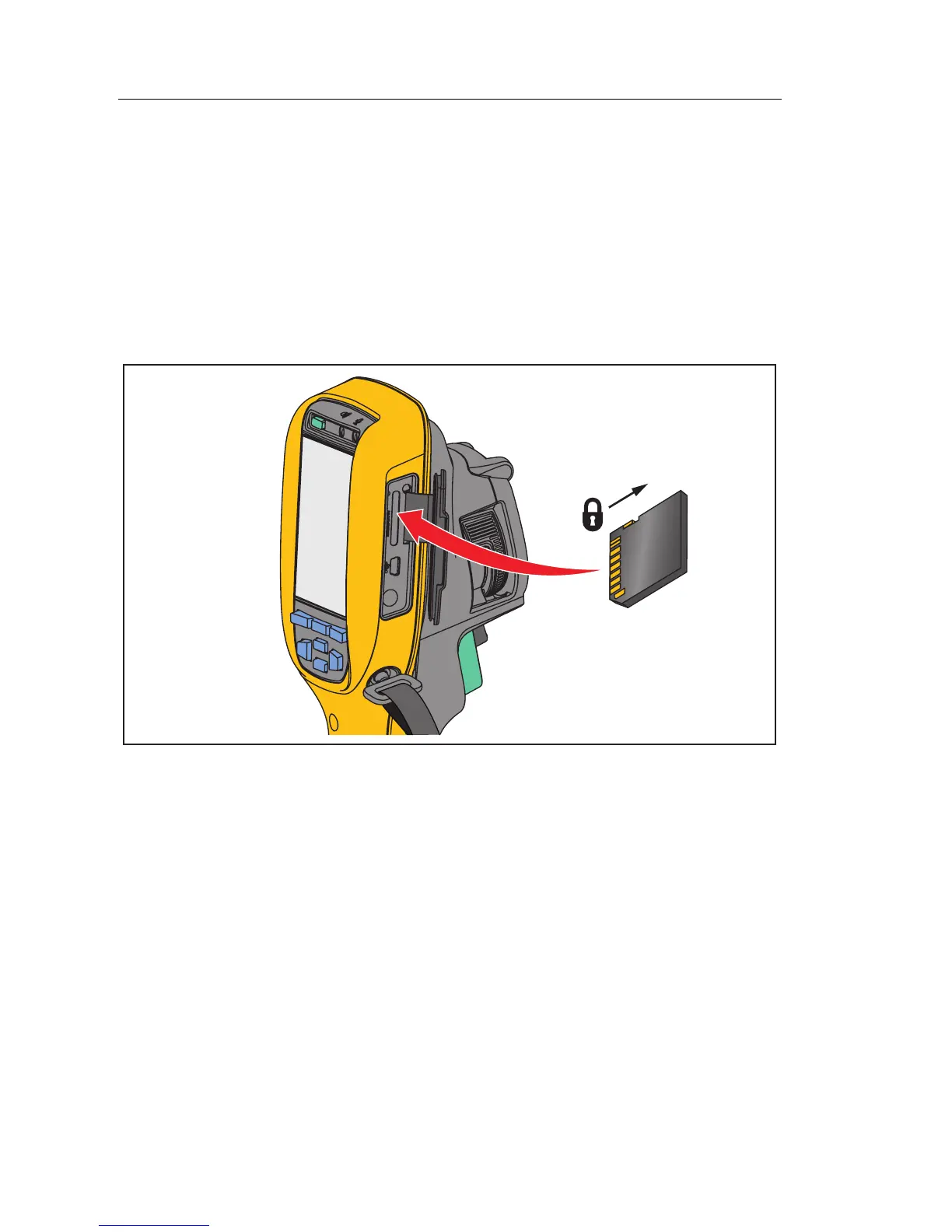
To eject an SD memory card, push in on the exposed edge of the card and then
release. The card should pop partially out after you release it. Carefully pull
the card out of the slot.
To use the SD memory card, make sure that the write-protect lock is open. See
Figure 2. Carefully push the card into the slot with the card label facing away
the LCD. Push the card in until it catches.
gju03.eps
Figure 2. SD Memory Card Insertion and Removal
For information about how to save data, see page 13. For information about
how to view or erase a stored image, see page 36.



 To Next Page