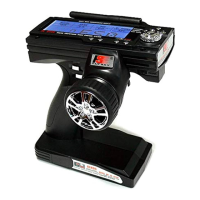
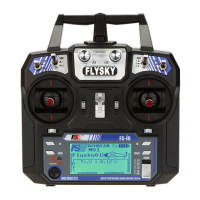
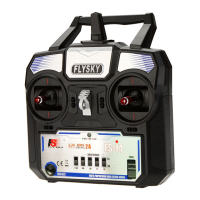
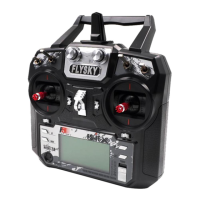
Http www flysky cn com
ARC
ࣂംಿܑࣂംཎኂህ᎘࢝৬ݨᏈᇿުࣂംྴ༡ߖ༾۞བྷࠝᄢလݤትလݤઌ
ᅞฺᄏݨުሞܵݡ༾۞ംࢸܵቇฦ০ཽ࡞ქࢺඇ൨ࢺ༓ෆܵݡ
ᐎࣀᐗᄵఴ˨ܑᄞࣂംᇼଙሞࢸ༓ቫፃዠ༓ቫ་ݨრࣻୢઌᅞުሞܵ
ݡᐎݨ٣ᐗࢎ૧
ဠᇥዠمဠݨບݤএથډݼمဠݨษჲ
ଙઌᅞ༤ݕ
٣ᐗࠝࠈܑ࠶৬৬ቸᄞ࠶༡လւᆍዷ677+83'2:1ᅶᇴࢂؐݨလݤ67
๙ւ๕ઌຉჲህ৬ٕ݉ݾࠀ৬ᇽಮ࠶ࢴުއလ7+/+
ւᆍ83'2:1ዷᅶᇴࢂؐݨއዟလւୢઌᅞབྷݨޛ፟ၞڱ',$/
ւ๕ܬۨجဿ۞ւዸمܬۨဿ۞(;,7
67ؙ༘ࠝᄢလݤ˷
7+ؙ༘ትလݤ˷
/+˩˩˩˩˩
٘བྷಿ
ࣂംಿܑࣂം་ߖྱቸ༾۞လݤݨབྷઌᅞٳ০ࠝᄢትປလݤ
٣ᐗࠝࠈዠᎹٕ݉ჲᆍዷٕ݉ւ๕ઌຉ৪ଙȣ',63/$<
٘བྷಿ
67ؙ༘ࠝᄢလݤ
7+ؙ༘ትလݤ
$8;ࡦᎼလݤݾປလݤ
DISPL A Y
ݨޛ፟ܙߺഉݨڝᏳ٣ᐗܵݡၞಈ
٬ଙٳလݤݨ༾۞ோ০༾۞ࠝᄢȣ
Operation Method:
Operation Method:
Operation introduction
Operation introduction
this function is a kind of high class professional setting system it can be used to set
the output curve to let the output to match the motor engine and servo much better
and anc it also can according the operator s feeling to set to get to get theoptimal
operation feeling
We need to set 2 channel ST and TH press the UP DOWN button to select the cha
nnel which you want to set then press DIAL key to next class manual the next manual
has 5 setting points L 1 2 3 and H choose the point by press the UP DOWN button
then adjust the data by the DIAL key then save the data and press ENTER to quit the
adjustment if press EXIT it means quit the system directly without saving the data
ST
TH
steering system channel;
throttle channel;
L: 0-100;
1: 0-100
2.: 0-100
3: 0-100
H: 0-100
This function is to display and check the output data
Enter the main manual then choose the display manual to enter in
STsteering system channel
THmeans the throttle channel
Parameter Introduction
Parameter Introduction
AUX: the assistant channel (channel 3)


 To Next Page
 Loading...