*one key to invert
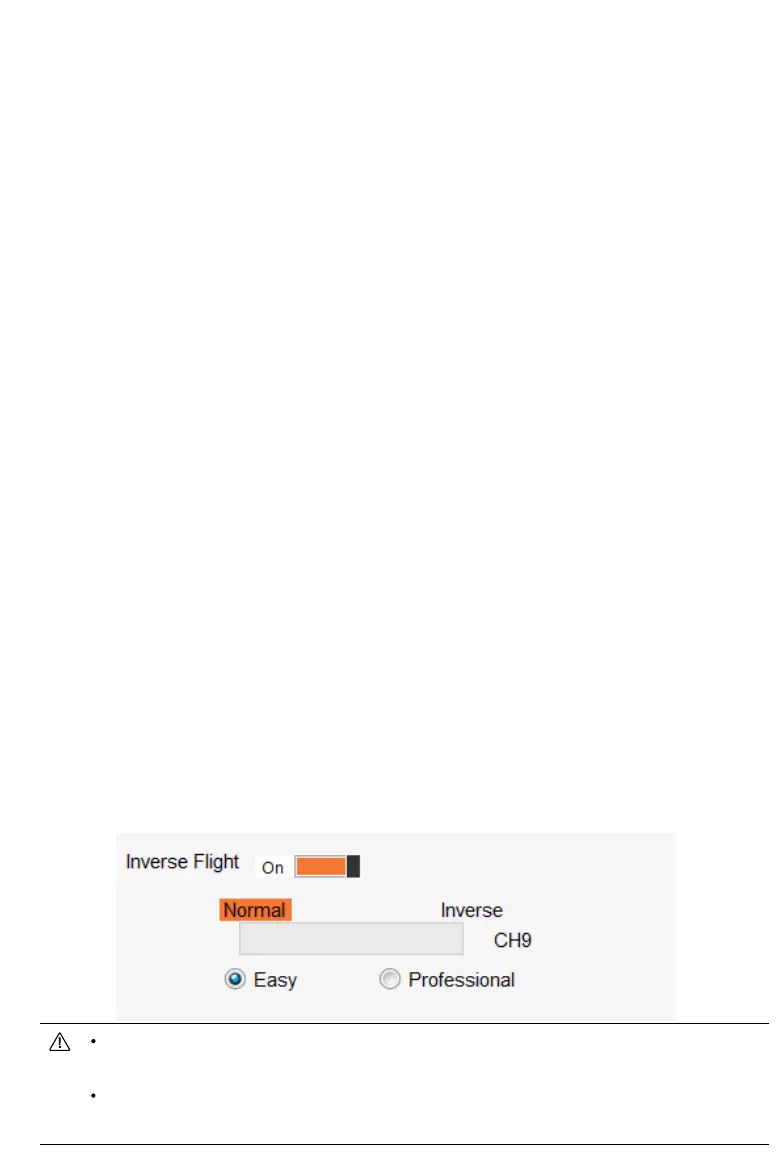
One key to forward/invert fly
●When using this function, the aircraft will switch between normal flight and invert flight
according to a two-segment switch on the transmitter. When the aircraft is flying, switch to invert
flight, the aircraft will auto roll over to inverted flight, and the GPS will hover at a fixed point.
●The RETURN function will be invalid in the invert mode. Please pay attention to the battery
power .This function requires the 9-channel switch of the transmitter to be set up by one-key
through the assistant software.the switch can be used at a height of 10 meters above the ground.
●
one key inverted divided into two modes: easy mode and professional mode
1、Easy mode:
This mode is suitable for beginner operation. It can quickly experience the fun of inverted
flight. It needs to be set in the assistant software. When the Invert switch is dialed, the aircraft will
auto roll over to the upside down, and the GPS will hover at a fixed point. At this time, the user's
operation mode is the same as that of normal flight. (The throttle stick is pushed up, the airplane
climbs upside down, the forward stick is pushed forward, and the aircraft moves towards the
nose).
2、Professional mode
:
This mode is suitable for 3D stunt training operations. Basic hover operations of 3D stunts can
be performed with GPS fixed-point assistance. It needs to be set in the assistant software. When
the Inverted switch is dialed, the aircraft will auto roll to the upside down, and the GPS will
hover at a fixed point. At this time, the operation mode of the aircraft is the same as that of the
3D flight (the throttle stick is pushed up, the aircraft descends for upside down, the forward stick
is pushed forward, and the aircraft moves toward the tail)
This function is a test function. Due to the performance and power of each aircraft, the rolling effect will be
slightly different. This function cannot be turned on within the default altitude of 10 meters.
The user opens this function by default and knows that this function is a test function. The adverse effects
and consequences of aircraft failure caused by using this function are borne by the user.


 To Next Page