Table 4.3: Page Triggers Events
Event Description
Airspace Warning This event occurs when the horizontal, or vertical distance to an airspace is
less then the respective thresholds.
Entering Thermal This event occurs when the pilot enters in a thermal. A thermal is detected
when the integrated vario is greater than 0.5m/s and the rate of turn is greater
than 10
Transition This event occurs when the pilot enters leaves a thermal and starts a transition.
A transition is detected when the integrated vario is less than 0.5 m/s and the
rate of turn less than 5
Arriving at Turnpoint This event occurs when the pilot is arriving at less than 1km away from the
turnpoint
Start Opened This event occurs immediately after the start time.
Power Up This event is triggered when the instrument is powered up.
red when certain conditions are met. If a trigger is red the GPS SD+ switches to the associated page
automatically. For example, consider that page 3 is associated with the trigger
Airspace Warning
, and
the current displayed page is page 2. If during ight an airspace limit is reached the device will automatic
change the page 3. The current available triggers for the GPS SD+ are show in Table 4.3.
This menu can also be used to disable all the page triggers at once. In order to disable page triggers
the
Disable Triggers
option should be set to
Yes
, using the UP, or DOWN keys, and conrmed with the
ENTER Key.
Inverse Titles
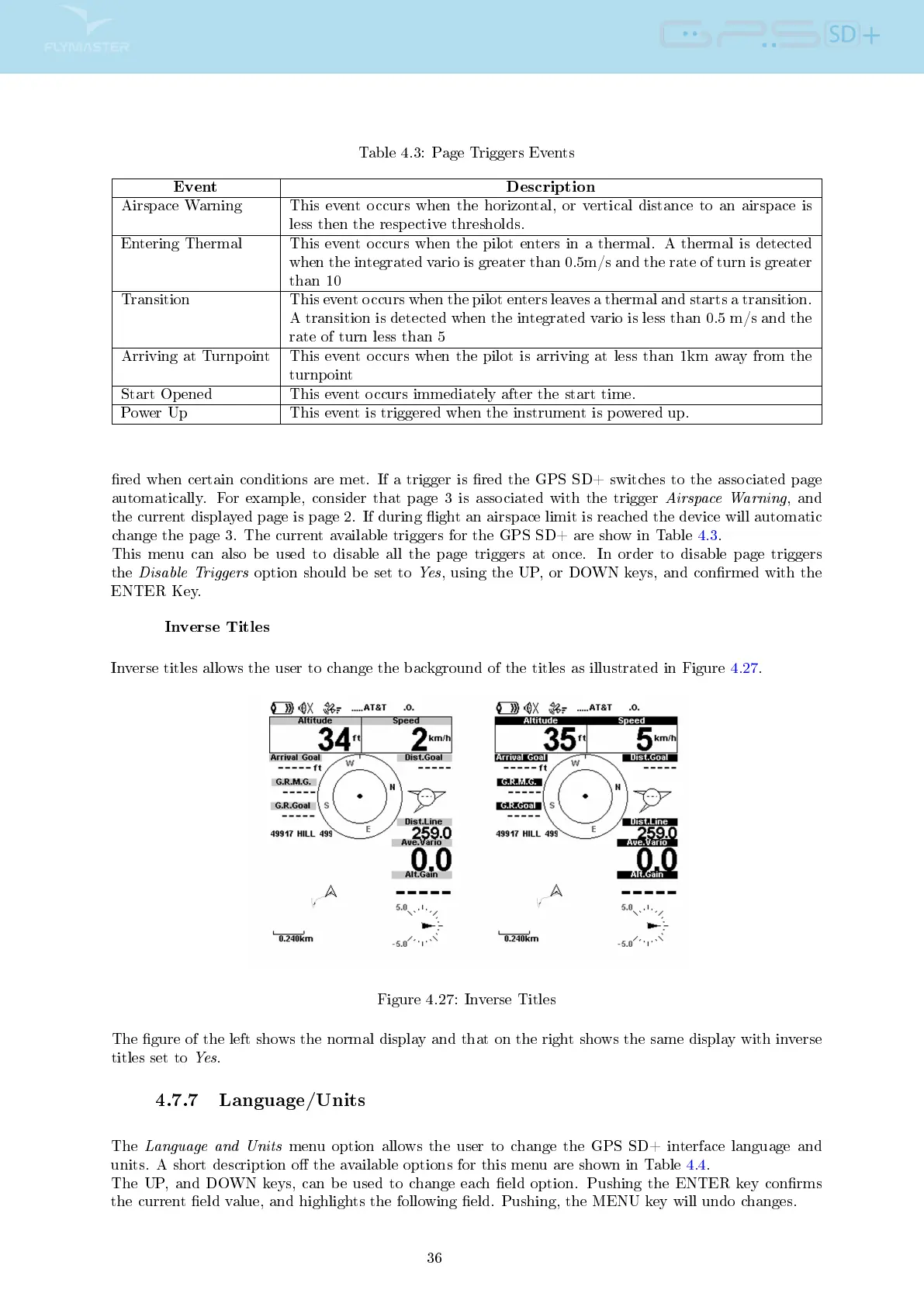
Inverse titles allows the user to change the background of the titles as illustrated in Figure 4.27.
Figure 4.27: Inverse Titles
The gure of the left shows the normal display and that on the right shows the same display with inverse
titles set to
Yes
.
4.7.7 Language/Units
The
Language and Units
menu option allows the user to change the GPS SD+ interface language and
units. A short description o the available options for this menu are shown in Table 4.4.
The UP, and DOWN keys, can be used to change each eld option. Pushing the ENTER key conrms
the current eld value, and highlights the following eld. Pushing, the MENU key will undo changes.
36



 To Next Page