Failsafe
Low voltage alarm
Stick Calibration
Data resetting
Idle alarm and Sleep mode
When the transmitter is turned on, keep the channel output at the desired value, then
press and hold the BIND button for 3S, after the buzzer prompts with long beep on tone 1,
the failsafe is set successful.
The default setting of the failsafe is the last output value.
When the transmitter rebinds, the failsafe is reset to default setting.
When the transmitter voltage is lower than 4.2V, it will enter low voltage alarm mode. The
transmitter LED will be in slow flashing state for prompt.
Note: When the transmitter voltage is lower than 3.5V, the RF is turned off.
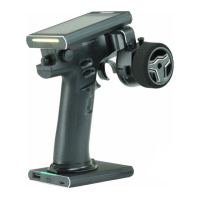
1. Turn the Steering Wheel to the Max endpoint in a clockwise direction and push the
trigger forward to its maximum endpoint while powering on the transmitter, then the
transmitter enters stick calibration mode.
2. Turn the Steering Wheel or push the trigger to the Max or Min endpoint, then return
to its neutral point.
3. After the calibration is finished, press the BIND button to exit the calibration mode.
If the calibration is failed, then the setting can not be saved by pressing the BIND
button.
Follow the steps below to reset the data.
1. Press and hold the BIND button and the REV button while powering on the transmitter,
the data will be reset.
2. When the operation is successful, the buzzer will prompt with long beep.
When the transmitter is not operated over 10 minutes, it will go into idle alarm state.
In idle alarm state, the transmitter will exit idle alarm mode when any control is operated.
When the transmitter is in idle alarm state over 2 minutes,the transmitter will go into
sleep mode. In sleep mode, the LED is in gradual light state.
Repower on the transmitter to exit the sleep mode.
Note: In Sleep mode, the buzzer is off, as well as the RF. The transmitter takes no response
when any control is operating.
Follow the steps below to calibrate the transmitter.
Note: When D/R adjustments take affect, the buzzer will promt with a short beep.When it is
at the end, the buzzer will prompt with long beep.


 To Next Page