10 Operating Instructions Flytec 6005/6010
Press 3 sec.
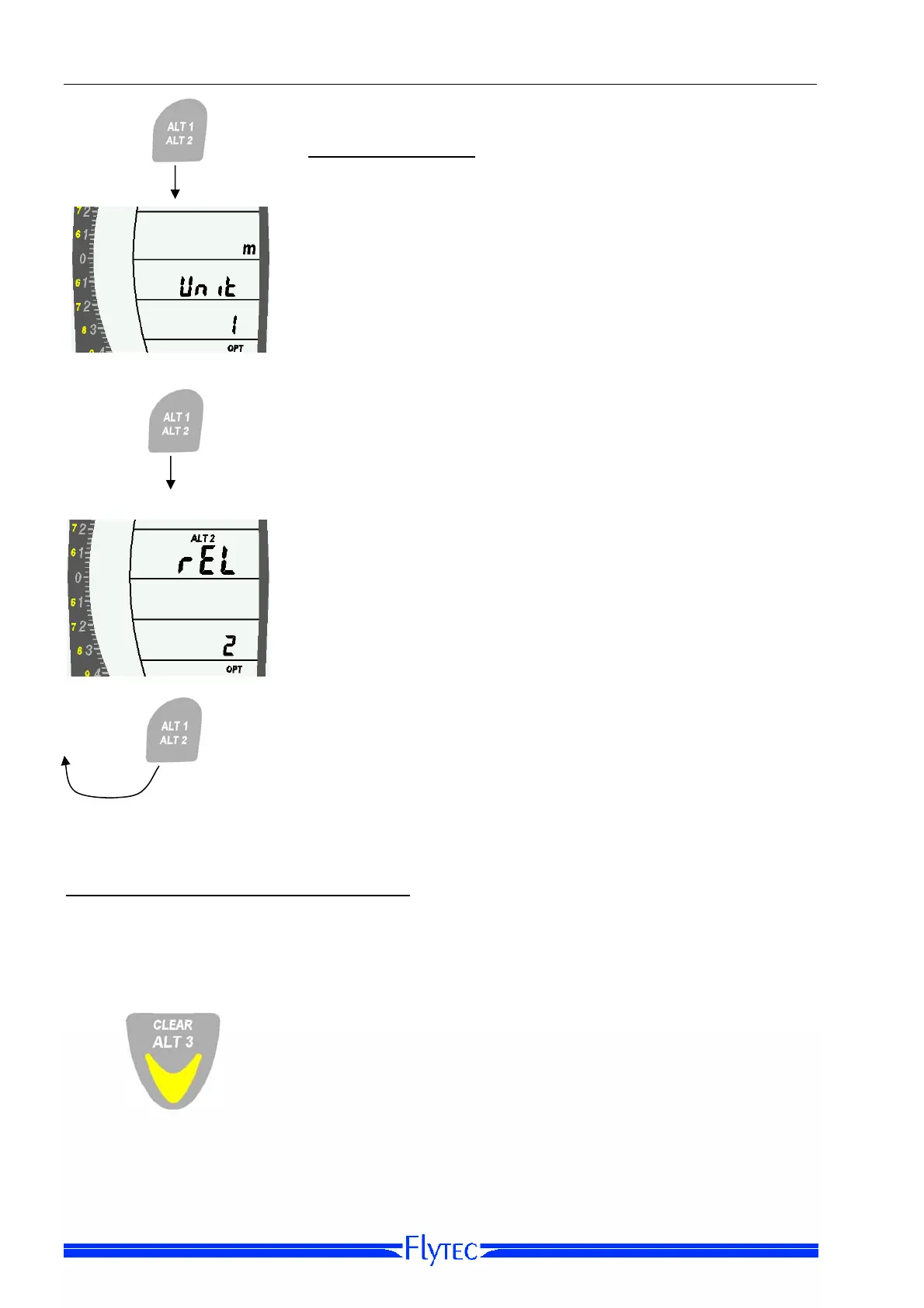
Option-Mode ALT2
From ALT2 Set-Mode, again press the Altitude Key for three
seconds to bring the instrument into ALT2 Option-Mode.
Option 1: Unit [Set altitude units]
Use the Arrow Keys to set the units of altitude to feet or
meters.
Press 3 sec.
Option 2: Rel/Abs
For the ALT2 value only, you can choose to use relative or
absolute values.
TIP: To view your current altitude in both meters and feet,
change this option to ABS and set the units fo
r ALT2 to m. In
Run-Mode you can now toggle between ALT1 and ALT2.
IMPORTANT: If you choose ABS for ALT2 in Option-Mode,
ALT1 and ALT2 will be linked together. This means that
when ALT1 is set, ALT2 will also be set. Option-Mode will
remain separated.
A short press of the Altitude Key cycles you back to
Option 1.
Altimeter 3 (ALT3) differential altimeter
Altimeter 3 is a differential altimeter, in that it indicates the altitude difference with respect
to the last zero set. This function is often used to measure the altitude difference in relation
to the take-off area, or while flying in weak thermals, to easily recognize altitude gain/loss.
A short press on the Clear ALT3 Key will reset the differential
altimeter ALT3 to zero.


 To Next Page