8 Operating Instructions Flytec 6005/6010
Option-Mode ALT1
From ALT1 Set-Mode, press the Altitude Key for three
seconds to bring the instrument into Option-Mode. After
making each change, use a quick press on this key to
confirm and go to the next option, or wait three seconds to
keep your changes and return to Run-Mode.
Press 3 sec.
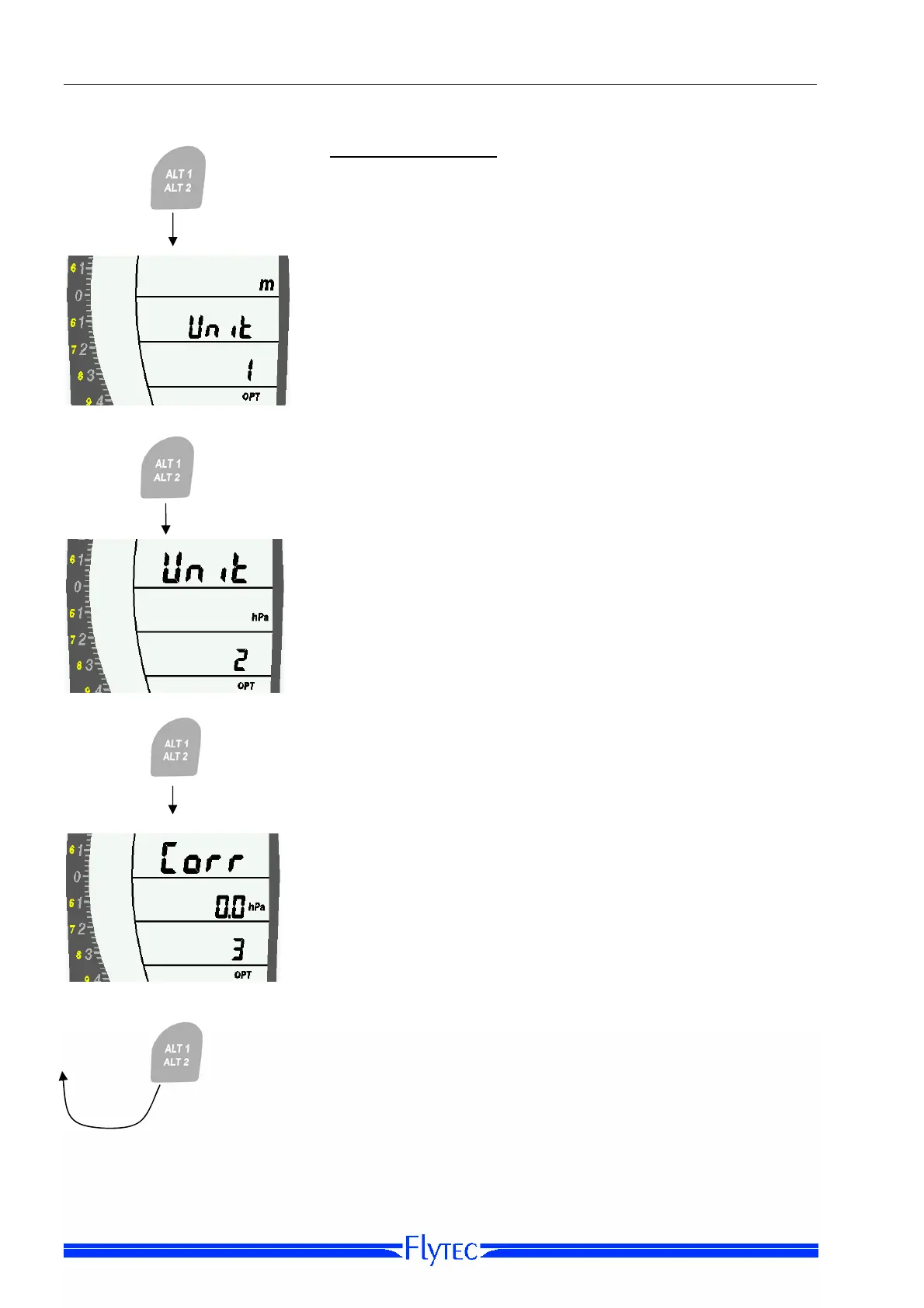
Option 1: Unit [set altitude units]
Use the Arrow Keys to set the units of altitude to feet or
meters.
Short Press
Option 2: Unit QNH [set pressure units]
Use the Arrow Keys to set the pressure units for ALT1 to
hPa or inHg.
Short Press
Option 3:
Corr [correct air pressure]
Use the Arrow Keys to correct the pressure for
ALT1. This
may become necessary after several years of use (see the
section on Care & Maintenance below). The maximum
correction possible is +/- 47.9 hPa.
A short press of the Altitude Key cycles you back to
Option 1.


 To Next Page