Operating Instruction Flytec 6005/6010 3
Operating Philosophy
Flytec’s philosophy is to produce user-friendly instruments. When you turn on the
instrument the instrument will go through a self test and proceed to the Run-Mode. A
quick press of each key in the Run-Mode lets you access the main functions of the
instrument. Hold a key down for about three seconds to call up Set-Mode for that
function. From there, a further three-second press will call up Option-Mode for that key.
In Set-Mode and Option-Mode, the keys labeled
START/STOP/RESET and CLEAR-ALT become Arrow Keys. With
these you can change the display fields, which flash to indicate
they are changeable. After making changes in Set-Mode, use a
short press to return to Run-Mode, or wait three seconds.
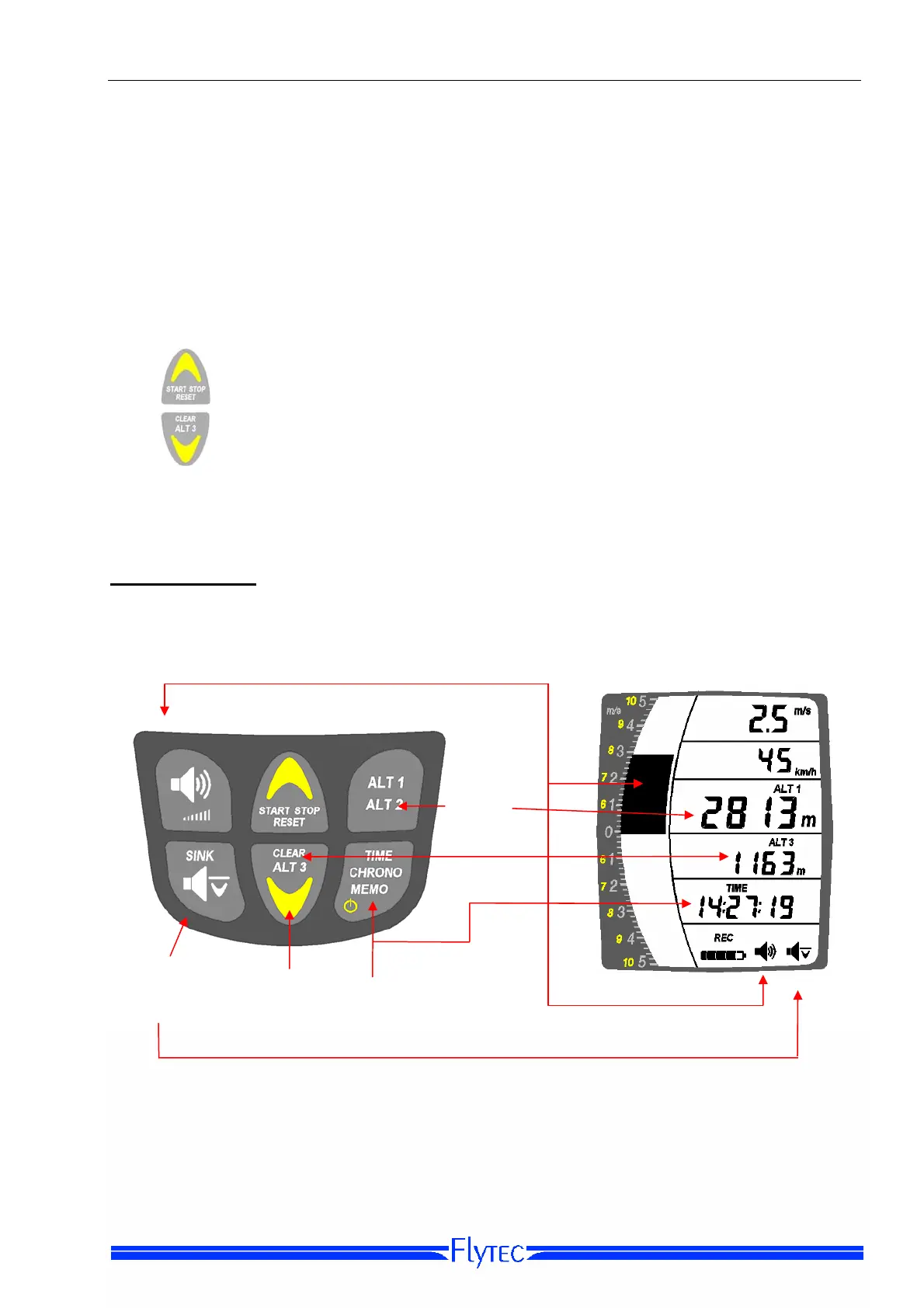
Keyboard layout
Vario/Audio
Ke
Altitude 1/2
Ke
Sink Alarm
On/Off
TIME/CHRONO/MEMO
Key
Arrow
Ke
Ke


 To Next Page