18 Operating Instructions Flytec 6005/6010
Real-time clock
The 6005/10 has a real time clock that displays the time and date even when the
instrument is off.
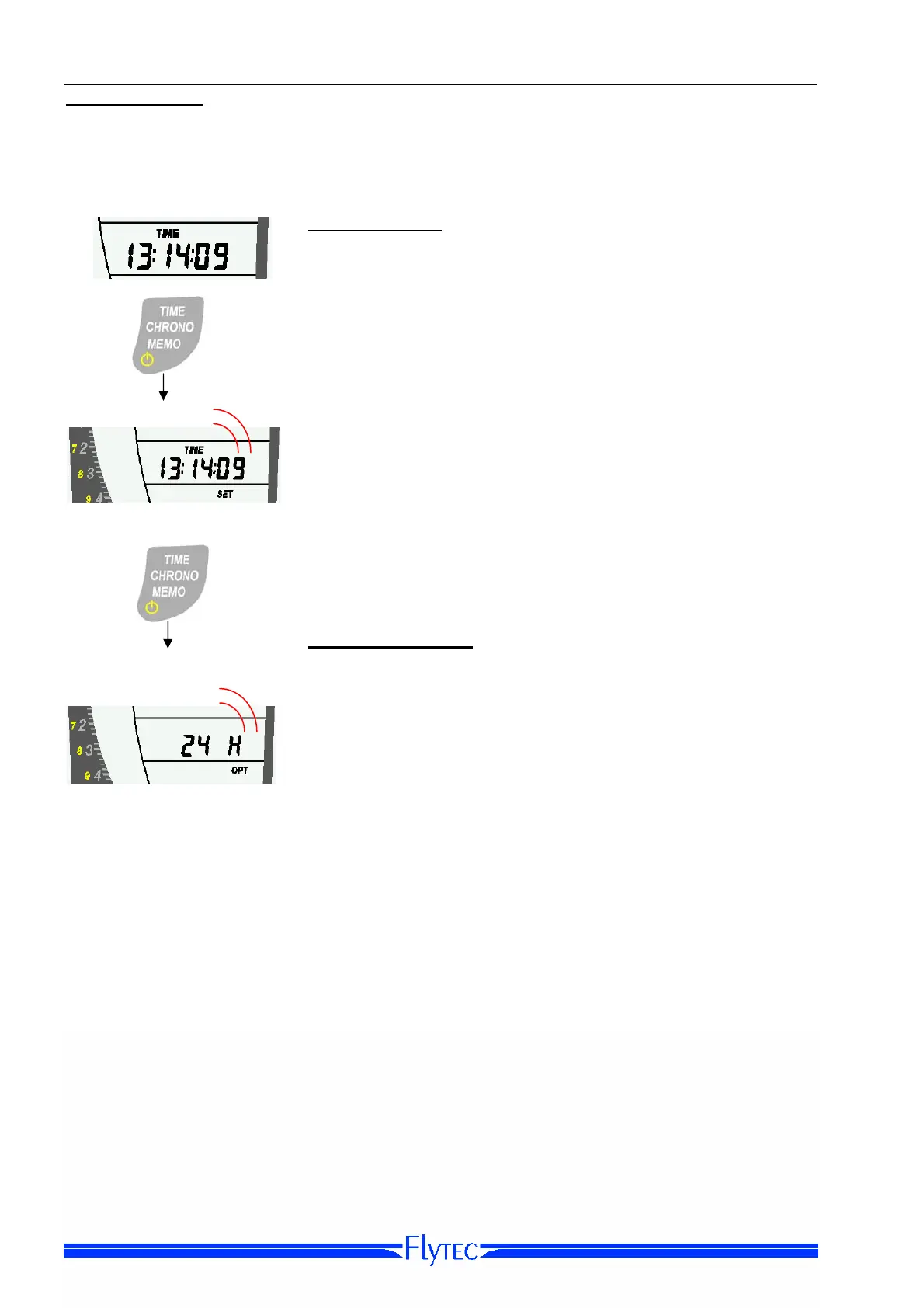
Set-Mode TIME
In TIME display, press the TIME Time Key for three seconds
to brings the instrument into TIME Time-Set-Mode. On the
6010 the TIME Set-Mode is only available when the
barograph is not recording.
Press 3 sec.
Pressing the TIME Key briefly to move from hours to minutes,
year, month, and day, and use the Arrow Keys to set the
values for each.
Note: Starting to switch off the instrument will take you into
Time Set-Mode. In order to switch off without setting the
time, do not release the key, but continue to hold it down
while the instrument counts down from 3 to 1.
Press 3 sec.
Option-Mode TIME
From TIME Set-Mode, press the TIME Key for three seconds
to bring the instrument into TIME Option-Mode.
Use the Arrow Keys to choose between 24-hour and 12-hour
(am/pm) time display. Note: 24 hour format should be
used to insure correct flight times in the logbook
* The time and date can be set on a 6010 with FlyChart.
Logbook
The Flytec 6005/6010 automatically logs each flight, beginning when you turn on the
instrument and ending when you turn it off. The maximum values for forty flights are
recorded; after that the oldest flight is deleted as each new one is added. The flights are
numbered in reverse order, so that #1 is the newest and #40 is the oldest. Flight #0 is the
current flight.


 To Next Page