Operating Instruction Flytec 6005/6010 19
The Memo display can be brought up by one or two short
presses of the TIME/SPEED/MEMO Key and the current flight
will be shown (flight #0). Use the Arrow Keys to cycle through
viewing the current (0) and previous (1-40) flights stored in
memory. If this is done during a flight, the current flight will not
be disrupted. Note: In the MEMO display all values are static.
If the beginning of a flight is accepted and you access the
MEMO display, the instrument will automatically exit the
MEMO display and return to normal flight operation after 12
seconds.
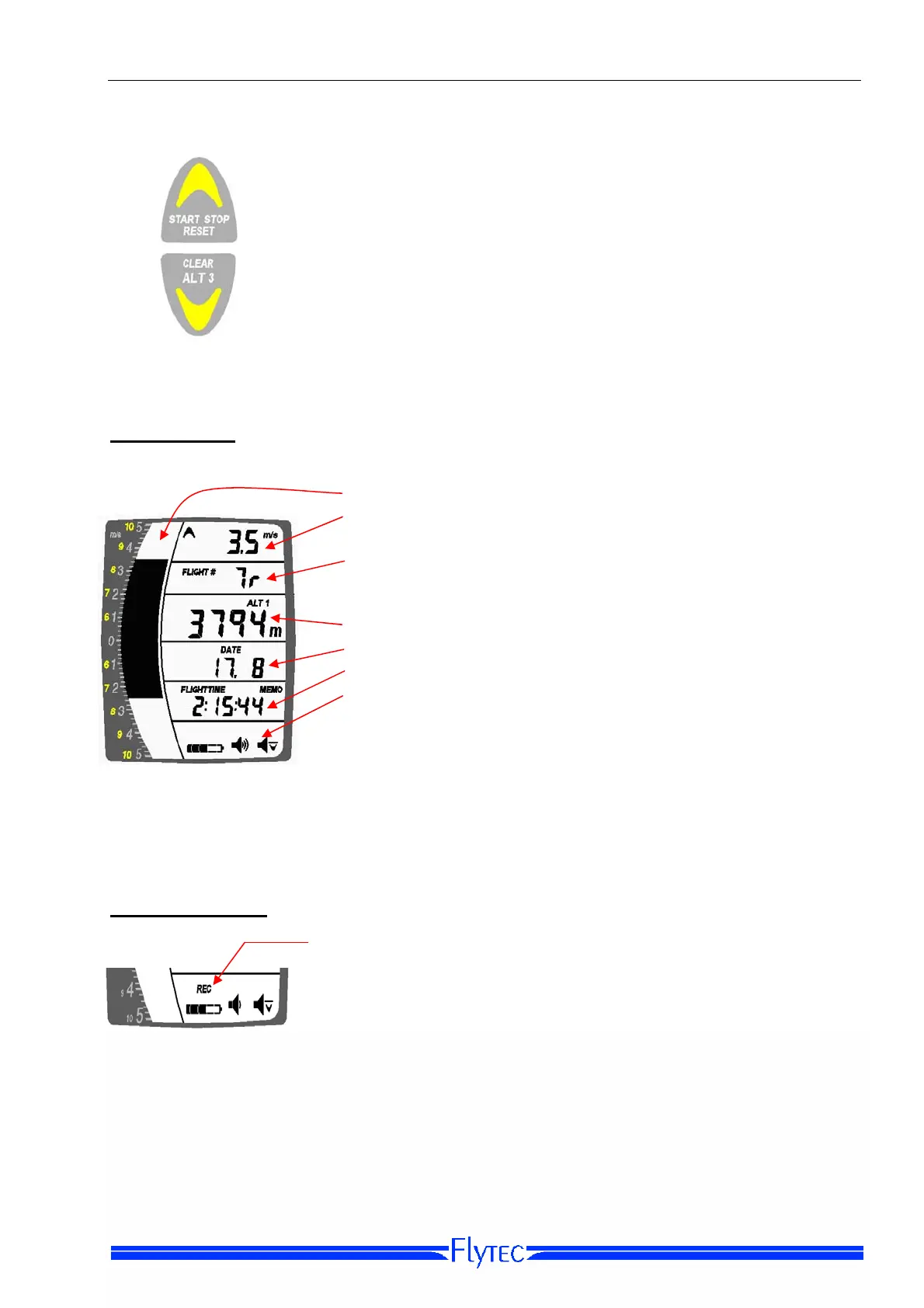
Memo Display
• Graphic display of maximum climb/sink for this flight.
• Maximum average climb and sink values for this flight
(display automatically toggles between climb/sink).
• Flight number [a small r after the flight number indicates
that a barogram was recorded for this flight, on Model
6010 only].
• Maximum altitude reached for this flight.
• Date of flight.
• Duration of flight.
• Battery, volume and sink alarm display (independent of
flight log).
If a flight has been accepted by the instrument it will be stored into the Logbook
automatically when the instrument is switched off.
Flight acceptance
For a flight to be recorded in the logbook, an altitude
difference of more than +/-100 feet (30 meters) and a flight
time of more than two minutes must be achieved (this
prevents wasted flights in the logbook). The flight acceptance
on a 6010 will by confirmed with the REC Indicator.
On the 6010 Instrument and using FlyChart software, it is possible to change the altitude
differential threshold for “flight acceptance” between 0 and 100 meters. Using FlyChart it is
also possible to invoke a peak-value time delay of 0 to 2500 seconds which will prevent
the 6010 from recording vario peaks encountered when tow launching.


 To Next Page