16 Operating Instructions Flytec 6005/6010
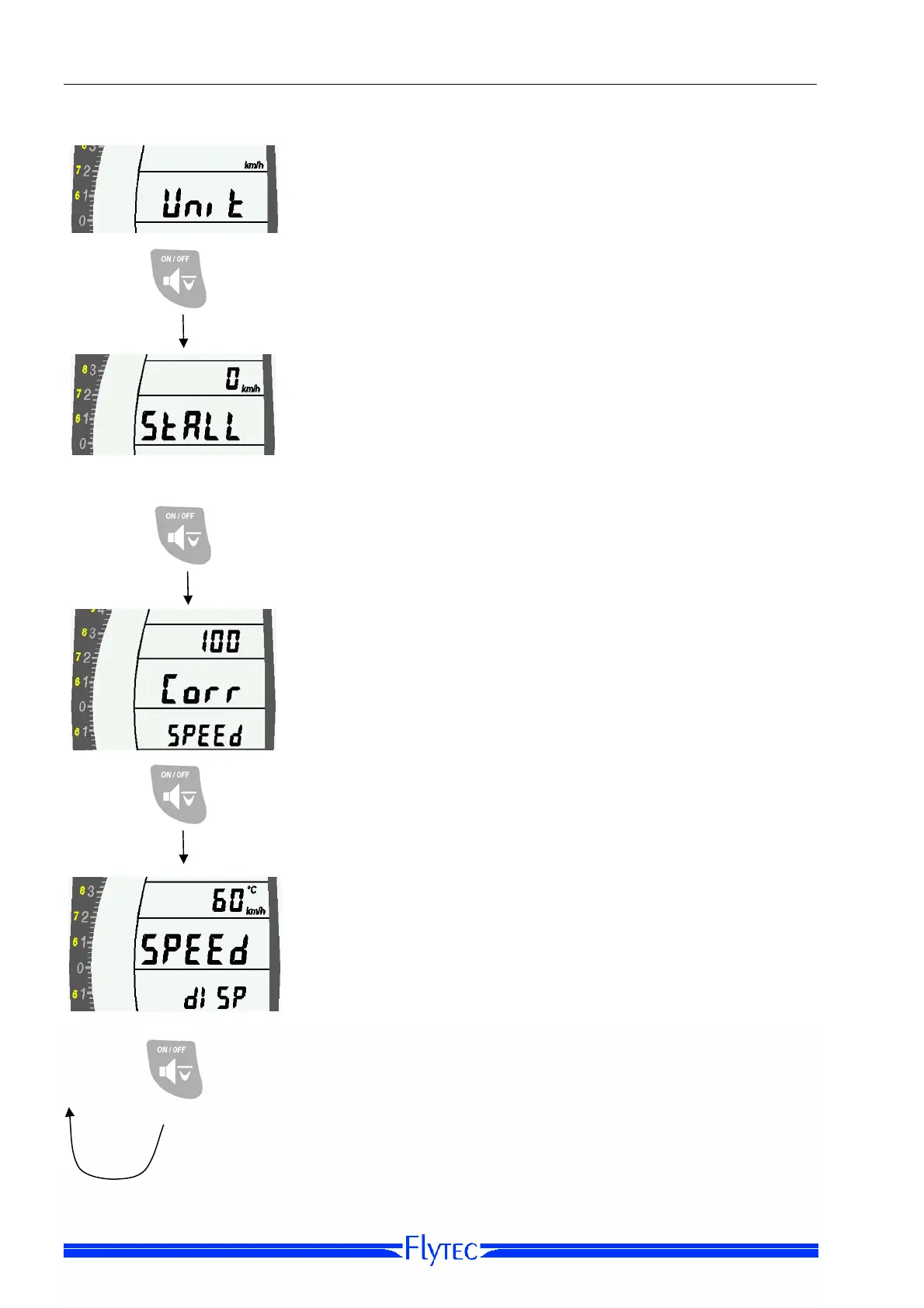
Option 3: Unit [Set speed units]
Use the Arrow Keys to set the units for the speed display.
The choices are kilometers per hour (km/h), knots or (kts), or
miles per hour (mph).
Short press
Option 4: STALL
The Stall Alarm threshold can be set from 6 mph upward,
using the Arrow Keys. You can switch the Stall Alarm off by
setting it to 0 mph
Short press
Option 5: Corr SPEED [Airspeed correction]
Use the Arrow Keys to set an airspeed correction value to
compensate for sensor inaccuracy or errors created by the
sensor placement. The correction can be set to +/- 50% of
measured airspeed, in 1% increments.
The accuracy of the speed displayed is greatly influenced by
the mounting position of the speed sensor. Therefore, you
should take care to mount it in clear, unobstructed air – both
fore and aft of the sensor.
Short press
Option 6:
SPEED DISP [Speed Display]
SPEED DISP shows whether, and at what time interval, the
display will alternate between airspeed and temperature.
The Use the Arrow Keys to choose from the following can be
chosen:
- speed only
- change after 30 seconds
- change after 60 seconds
- change after 120 seconds
Short
press
to return to option 1
The temperature display will appear for four seconds. If no
speed sensor is plugged in, only temperature will be
displayed.


 To Next Page