Quickstart
FS-4 HD and FS-4Pro HD Portable DTE Recorders 11
Pause, Stop and Power OFF
While in the Home screen, and in any transport mode, press this
button to
Pause the FS-4 HD. Press it again to stop the FS-4 HD.
Refer to the section,
Setup Screens on page 62 for more
information.
To power off the FS-4 HD, hold down the
Stop button for
three seconds. During power off, the FS-4 HD makes an audible
beep indicating it is turning off.
Forward Index
XX|
Use this button to skip forward to the next clip in STOP and PLAY
modes.
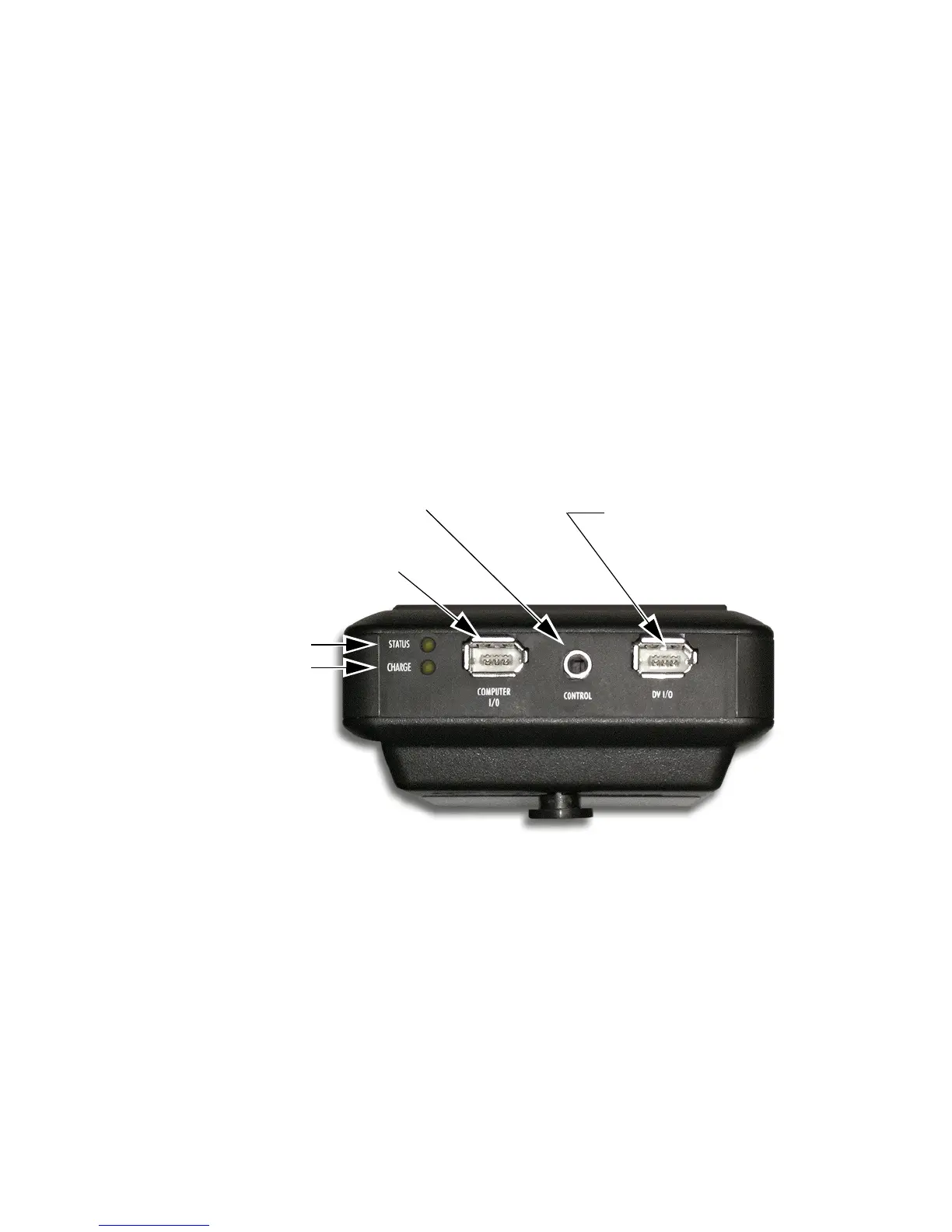
Top Panel
The top panel contains the following connectors and LEDs:
Charge LED States
LED Indicates
Off No Charger Connected
Green Charging Cycle Completed
Amber / Green Floating Charge Mode
(Charging almost completed.)
Amber Fast Charge Mode (Maximum charging rate.)
Red Charging Error
Red / Amber No Battery Installed / Battery Error
Amber, flashing Insufficient Voltage to Charger
Camera
(FireWire Connector)
Status LED
Charge LED
Computer
(FireWire Connector)
Remote Control
(Serial Connector)



 To Next Page