Quickstart
20 FS-4 HD and FS-4Pro HD Portable DTE Recorders
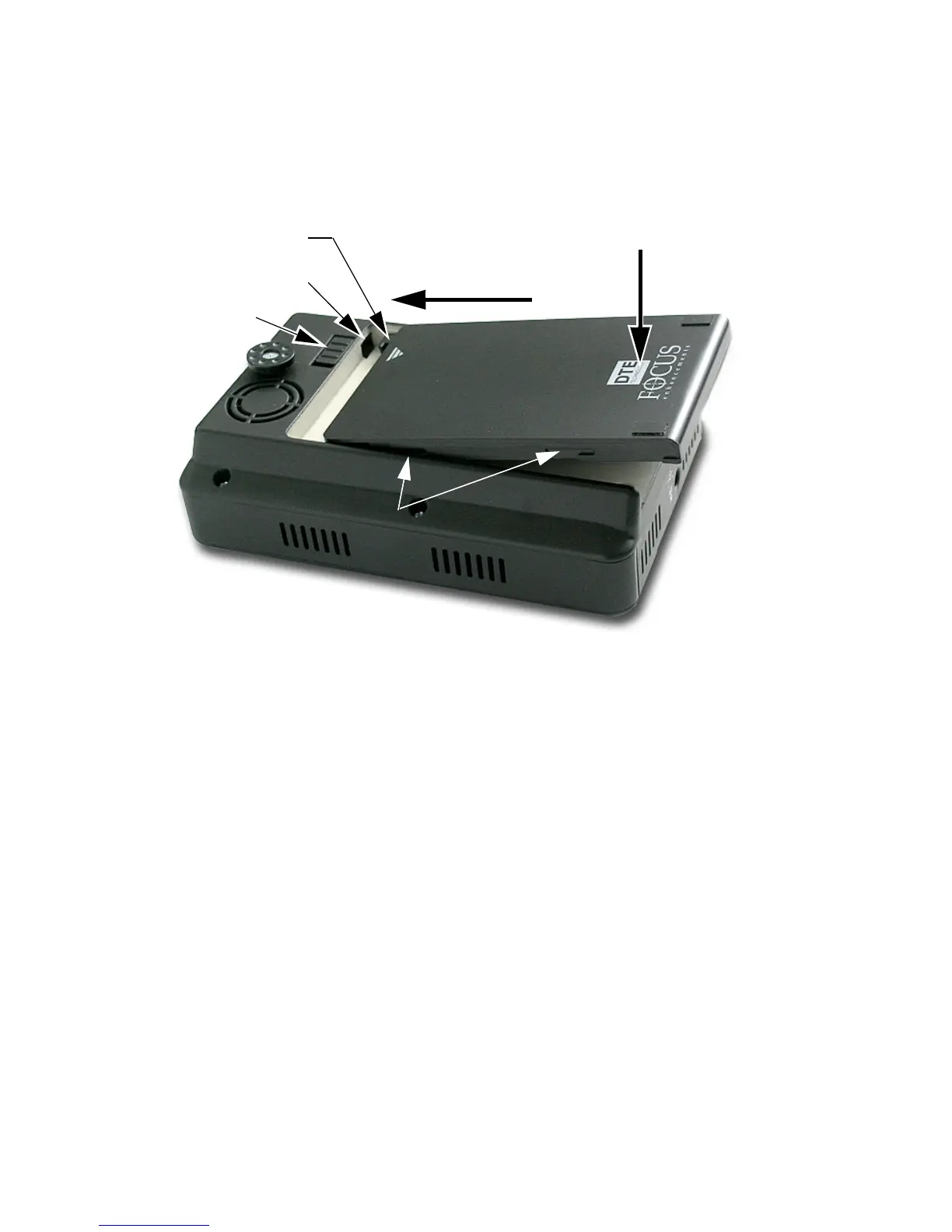
Installing / Removing the Battery Pack
Installing a Battery
1. Place the unit, so that the battery compartment is up.
2. Position the battery pack, as shown above, so that the latch
hook is almost in the latch slot, and touching the floor of the
battery compartment.
3. Slide the battery forward while gently pressing down.
Feel the battery slide along guides and seat itself.
4. When seated, the battery latch clicks into place.
Removing a Battery
1. Slide the battery latch to the left and hold.
2. Apply backward pressure to the battery pack at the
triangle/arrow and gently slide the pack back about 1cm.
or 3/8 inch.
This is the reverse motion of inserting the battery.
3. Remove the battery pack.
Slide battery pack forward
Gently press down
Battery Pack Guides
Latch
Latch Slot
Battery
Latch Hook
Battery Pack Guides
Latch
Latch Slot
Battery
Latch Hook



 To Next Page