12
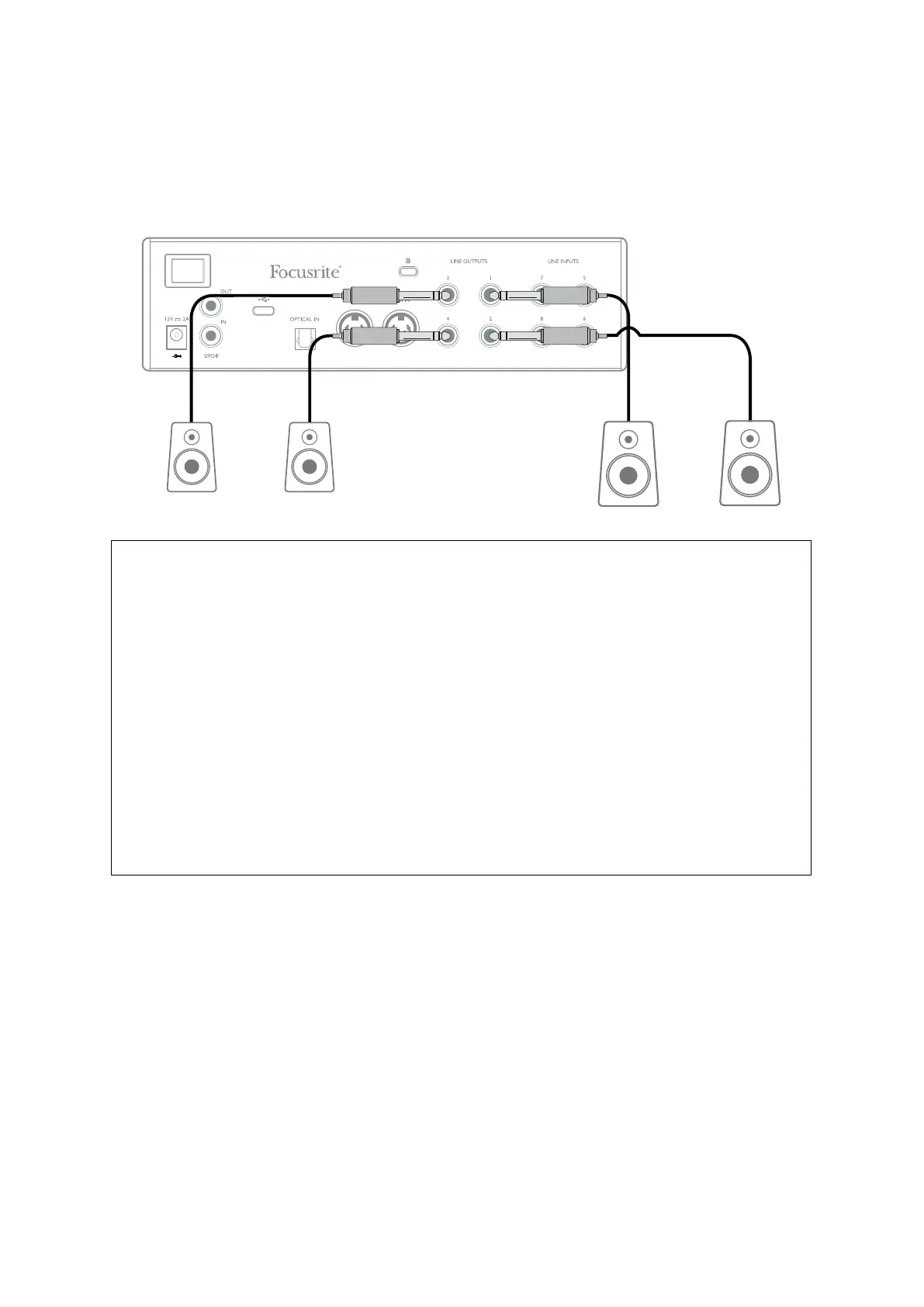
When mixing, you can connect an additional pair of speakers (mid-field. near-field, etc.) to
LINE OUTPUTS 3 and 4 to check your mix on different types of speaker. You can easily configure
Focusrite Control to route the mix to these outputs as well as Outputs 1 and 2.
Main
Monitor
Speakers
Additional
Monitor
Speakers
IMPORTANT:
LINE OUTPUTS 1 and 2 have “anti-thump” circuitry that protects your speakers if the
Clarett+ 4Pre is turned on while the speakers (and amplifier if used) are connected and
active.
LINE OUTPUTS 3 and 4 do not have this circuitry. If you’re using additional speakers
connected to these outputs, power your Clarett+ 4Pre on first, then turn on the speakers
or power amplifier.
But get into the habit of following this general rule in any case - it is good audio practice
to turn on any speaker system
after
turning on the equipment feeding it.














 To Next Page