17
3. Providing mixes while recording
While recording, musicians often prefer to hear themselves along with other players, and when
overdubbing, tracks that have already been recorded.
Focusrite Control lets you define several different mixes, each of which may be either mono or
stereo, and can be routed to any of the Clarett+ 4Pre’s outputs. This means each musician being
recorded can have a unique mix. In their mix you can include any hardware inputs on the Clarett+
4Pre and combine them with DAW tracks, such as click or pre-recorded backing tracks. See the
Focusrite Control Guide (obtainable from focusrite.com/downloads) for details of how to configure
different mixes, and how to route them to the Clarett+ 4Pre’s various outputs.
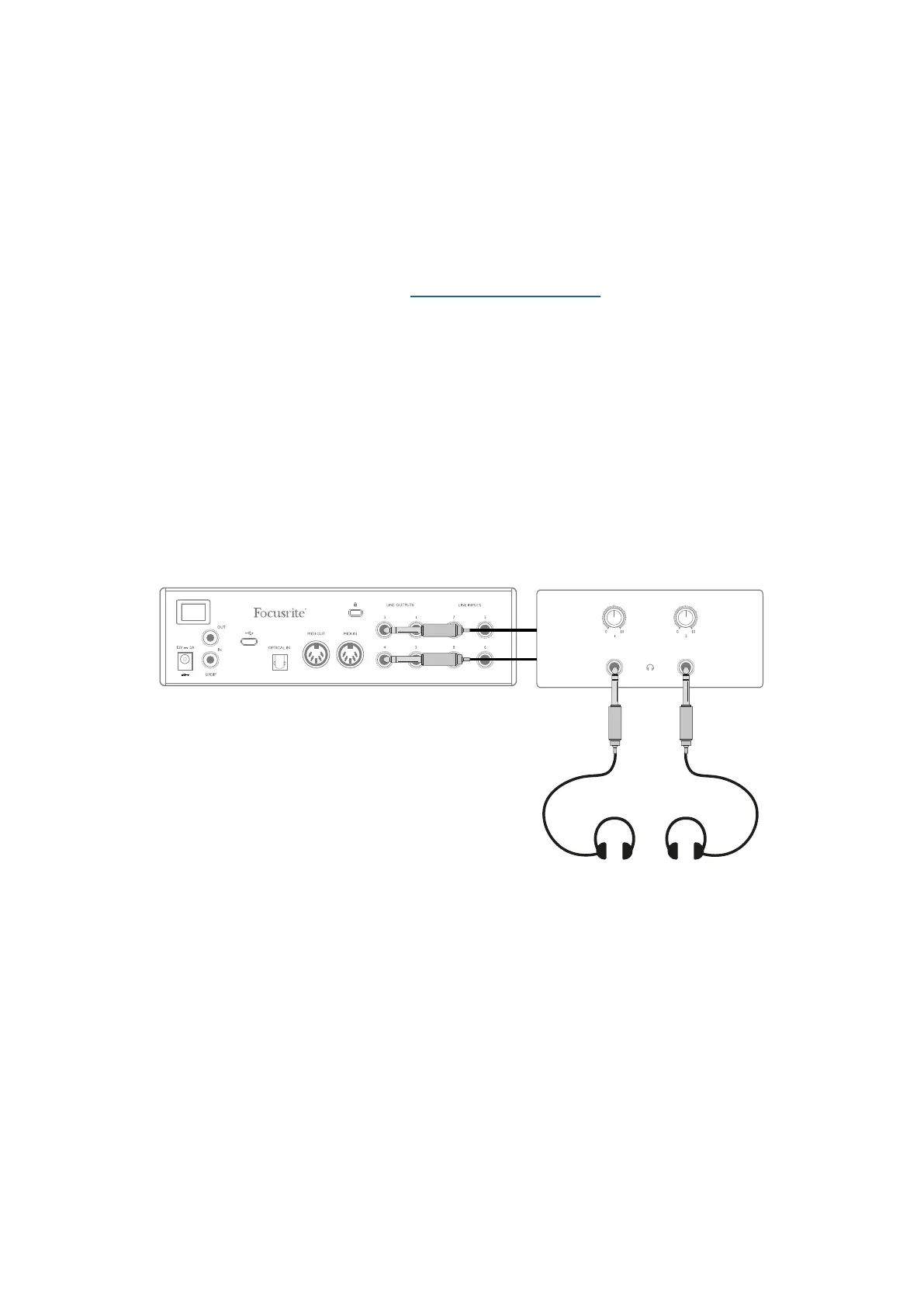
Each of the two headphone outputs on the front panel initially provide a default mix: Headphone
1’s mix is always the same stereo mix is routed to Line Outputs 3 and 4, while Headphone 2 has a
completely independent mix dedicated for headphone monitoring use. You can adjust the content of
both mixes in Focusrite Control. The mix sent to Outputs 3/4 defines what is heard at Headphone
Output 1, while the mix sent to Outputs 5/6 defines what is heard at Headphone Output 2.
Either or both of these may be used for a musician’s mix; each output can drive a pair of headphones
directly. This is the easiest method, and has the advantage the mixes are stereo. If you need to drive
additional pairs of headphones, you’ll need to include an external headphone amplifier as part of
your set-up:
Headphone Distribution Amplifier
Always remember - when sourcing monitor mixes from input signals, ensure the DAW channels on
which you are recording are muted, otherwise the musicians will hear themselves “twice”, with one
signal audibly delayed as an echo.














 To Next Page