8
top-right corner of your computer screen. Type “disk utility” in the
search box that opens, then click on the “Disk Utility” application that
comes up.
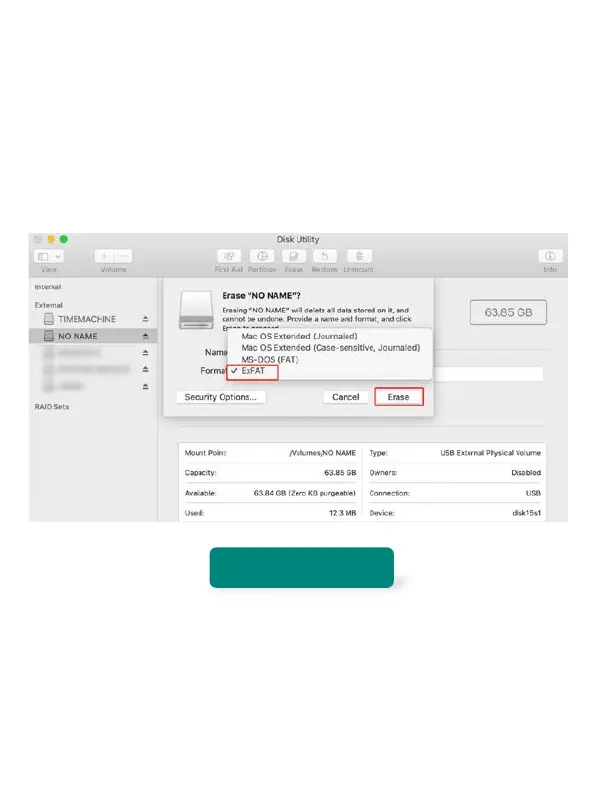
3. Find the card in the left side of the window.
4. Select exFAT (32GB SD card choose MS-OOS FAT) click the
ERASE tab in the middle of the window.
M2 DASH CAM
GETTING TO KNOW THE CAMERA BODY



 To Next Page