8.3.3. Carpus program (P13)
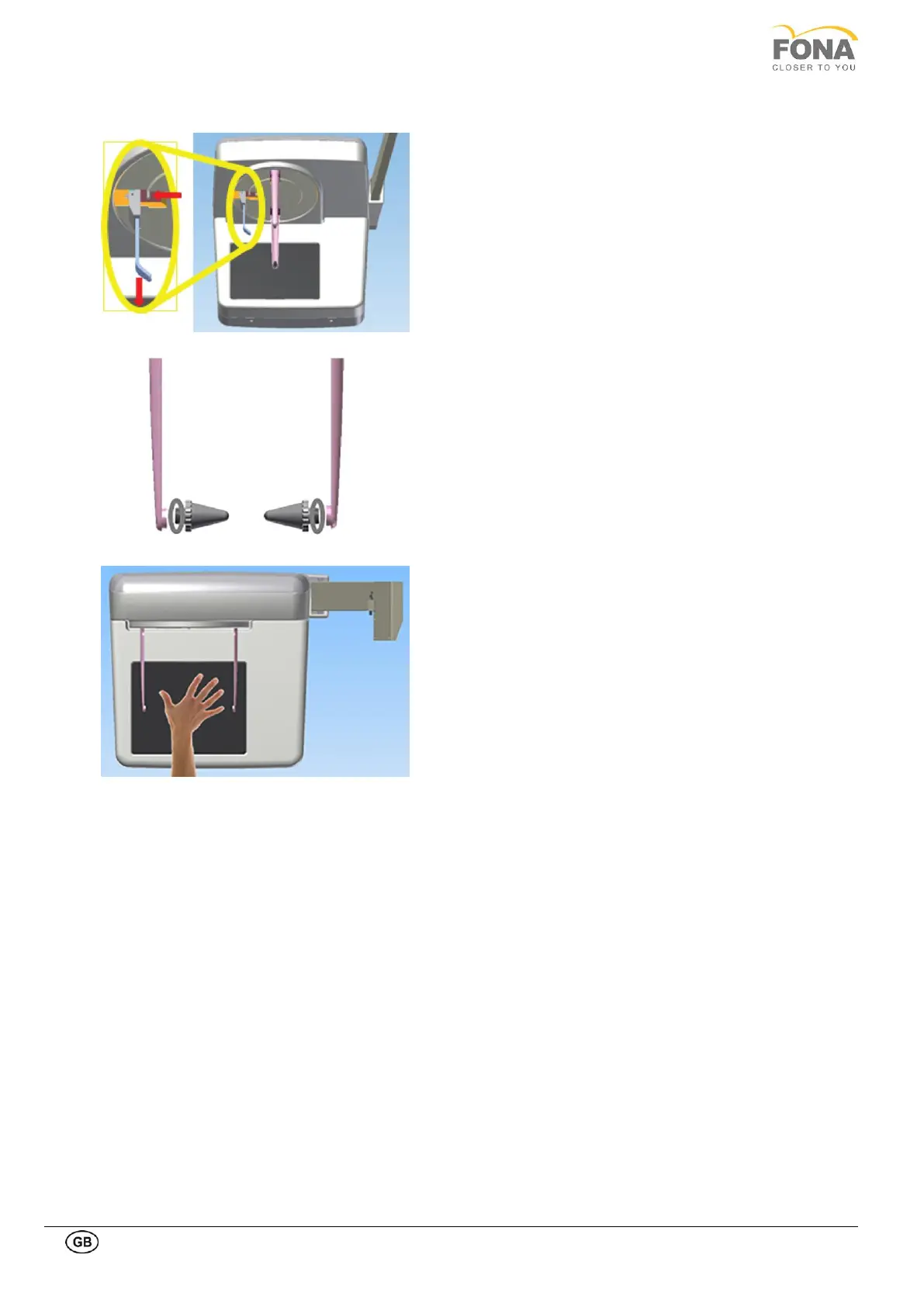
Remove the nasion support by acting on the release pin
as illustrated in the side image
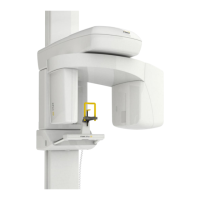
Remove the ear plug from the ear plug holder, by
unscrewing them. Pay attention not to lose the washer.
Grasp the holders at the very top with both hands. Push
the holders simultaneously outwards as far as they will
go.
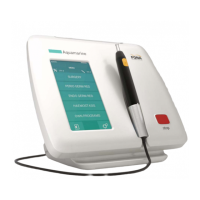
Guide the patient sideways into the unit.
Instruct the patient to place his hand on the carbonium
surface of the sensor. Instruct the patient to only press
lightly on the carbonium surface in order to not damage
it.
Instruct the patient to keep this position until the end of
the exam


 To Next Page