FIRMWARE UPDATING
To update the firmware of the MPX-4088, MPX-400MIC, MPX-410ES, MPX-420V, MPX-430VS and MPX-
440X, it is necessary to download the Firmware Update Tool. Access fonestar.com/ES/MPX-4088 and go
tothe Software section to download the Firmware Update Tool .
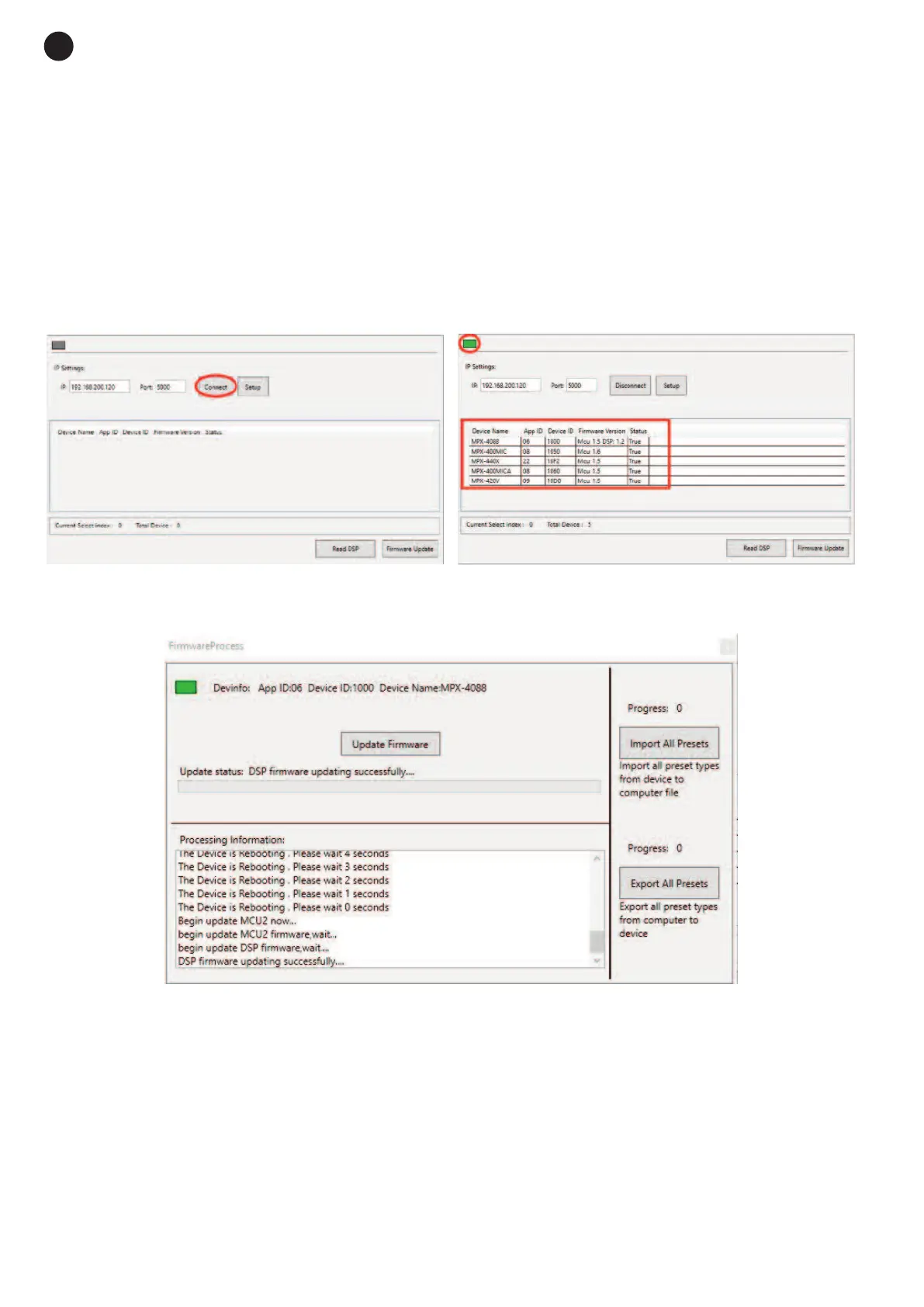
Connect your PC to the same network as the matrix MPX-4088, execute the firmware update tool and follow
the steps below:
1.- Press the SETUP button and select the IP of the device to be updated.
2.- Then, press the Connect button. If the connection has been made correctly, the connection indicator will
turn green and all the devices connected to the matrix will be displayed.
3.- Select the device you wish to update, click on Firmware Update and then on Update Firmware to
proceed with the update.
4.- Wait until the update has finished and then restart the device.
- 26 -
E
N


 To Next Page