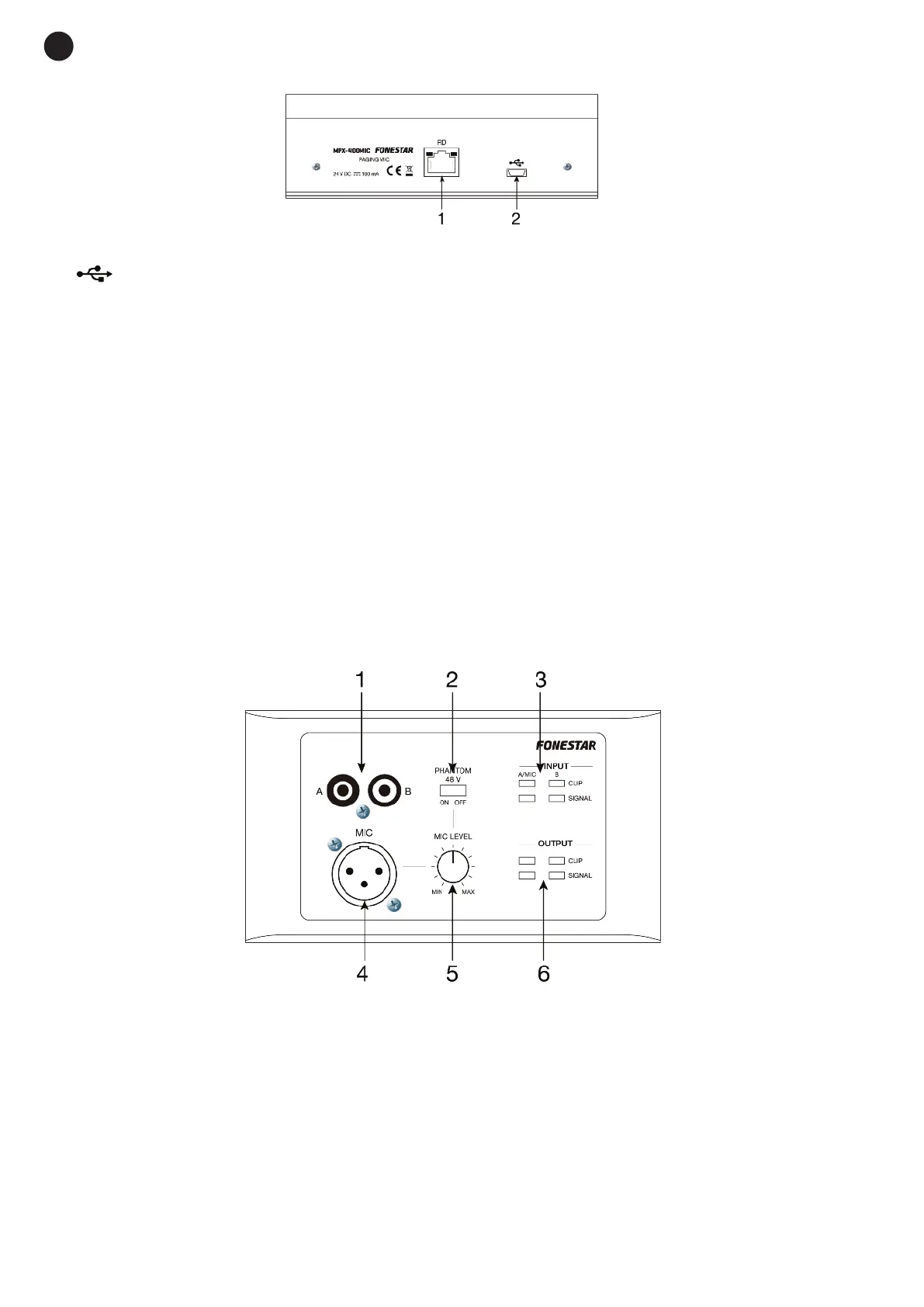
REAR PANEL
1.- RD: RD port for connection to matrix mod. MPX-4088.
2.-
. : mini USB port to load customized chimes in MP3. To set a different chime, connect the mini USB
port to your PC and replace the chime with the one of your choice. The maximum duration of the chimes
is 4 seconds.
INSTALLATION
Insert the RJ-45 connector in the RD port on the rear panel and the other end of the connector in the RD port
9/10 or 11/12 of the matrix mod. MPX-4088.
Note: the total distance of the cable must not exceed 150 meters for an STP Cat 5e cable.
MPX-410ES
DESCRIPTION
The model MPX-410ES is an audio input/output remote control for the matrix mod. MPX-4088, with 2
input channels for Mic. or 2 x RCA. Balanced XLR microphone input and 2 euroblock balanced audio
outputs selectable via the control module MPX-420V, MPX-430VS or PC software.
CONTROLS AND FUNCTIONS
FRONT PANEL
1.- A/B RCA: line level analogue inputs allocated to channels 9 or 10 (A) and 11 or 12 (B) according to the
RD port connection 9/10 or 11/12 in the MPX-4088 audio matrix.
2.- PHANTOM 48 V: phantom power supply connector for XLR microphone.
3.- INPUT: signal indicators for channels A/MIC and B.
- SIGNAL: indicates signal presence in the corresponding channel.
- CLIP: indicates signal saturation in the corresponding channel.
4.- MIC: XLR connector for the microphone input. When the microphone is connected, replace the input
channel A of the RCA connection.
5.- MIC LEVEL: adjusts the microphone volume level.
- 20 -
E
N


 To Next Page