CONFIGURATION OF NETWORK PARAMETERS
It is possible to manually configure the parameters of the MPX-4088 matrix. In order to do so, please consult
fonestar.com/ES/MPX-4088 Software section in order to download the LAN Module Config Tool.
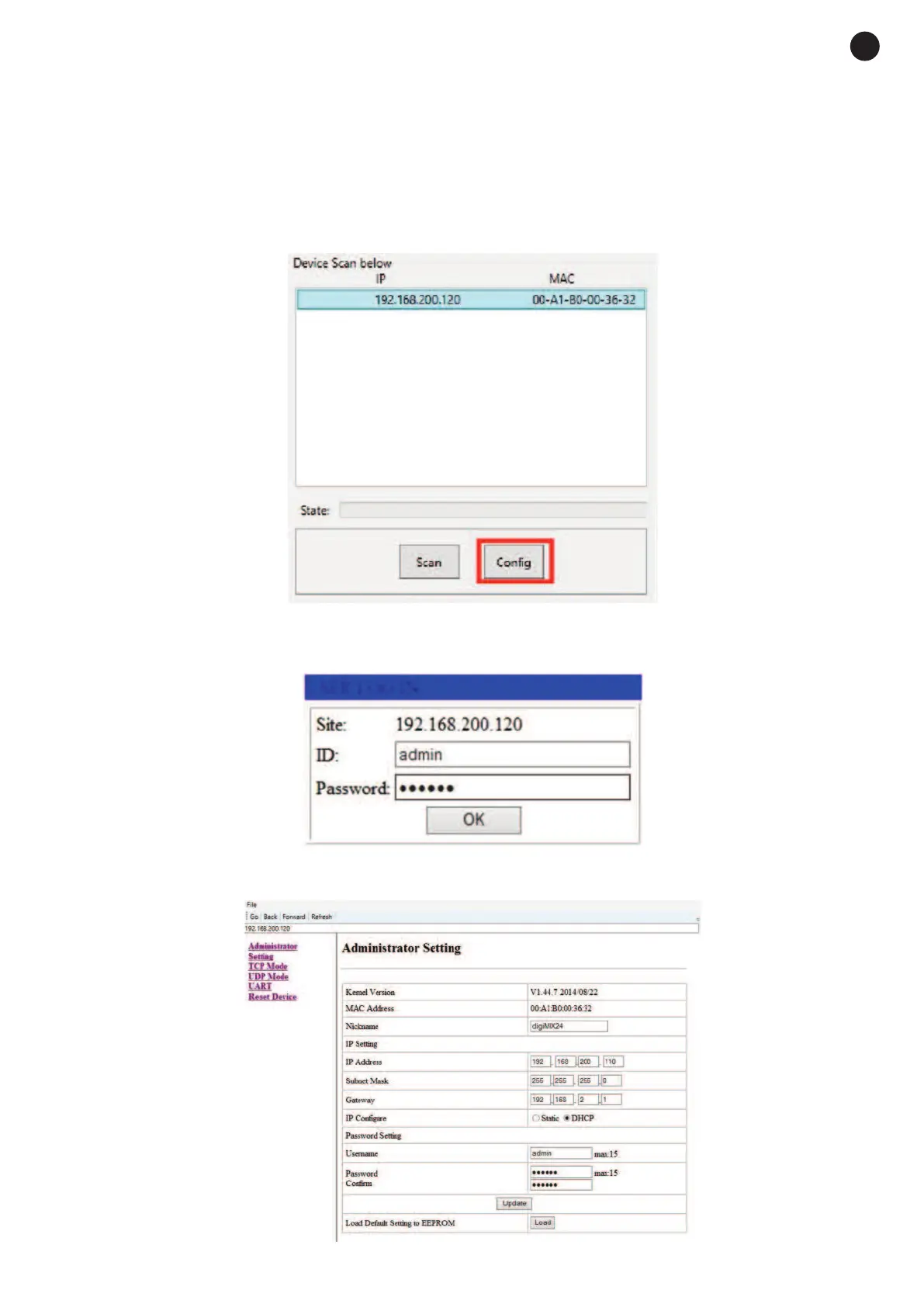
Connect your PC to the MPX-4088 matrix, execute the network configuration tool and follow the steps below:
1.- Press the SETUP button, select the IP of the device to be configured and press the Config. button.
2.- In the new window, enter the configuration ID and password . The default ID is: admin, the password is:
system.
3.- In order to configure the network parameters of your choice, navigate through the available sections in
the sidebar and set the parameters to the required values.
- 27 -
E
N


 To Next Page