33
METER MEMORY
Your meter stores the 864 most recent test results along with respective
dates and times in its memory. To recall the memory, start with the
meter off.
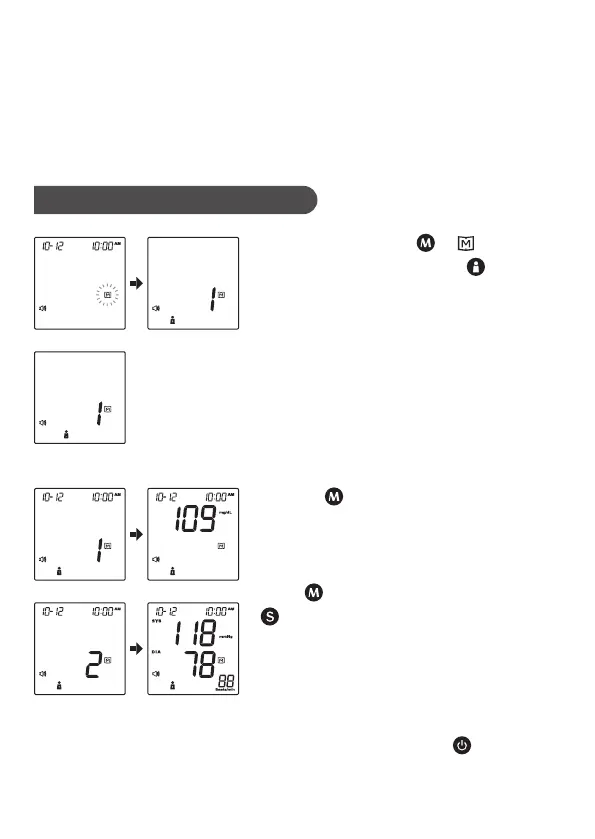
Reviewing Test Results
1. Press and release . “
” will
appear on the display. Press to select
the desired user number (for FORA D40c
and FORA D40d).
2. Press . Review all test results stored
in the meter. Results display according
to the time the measurement was taken.
The latest measurement displays first.
Press to view older results, and press
to view newer results.
3. Exit the memory. Press and the
meter will turn off.



 To Next Page