38
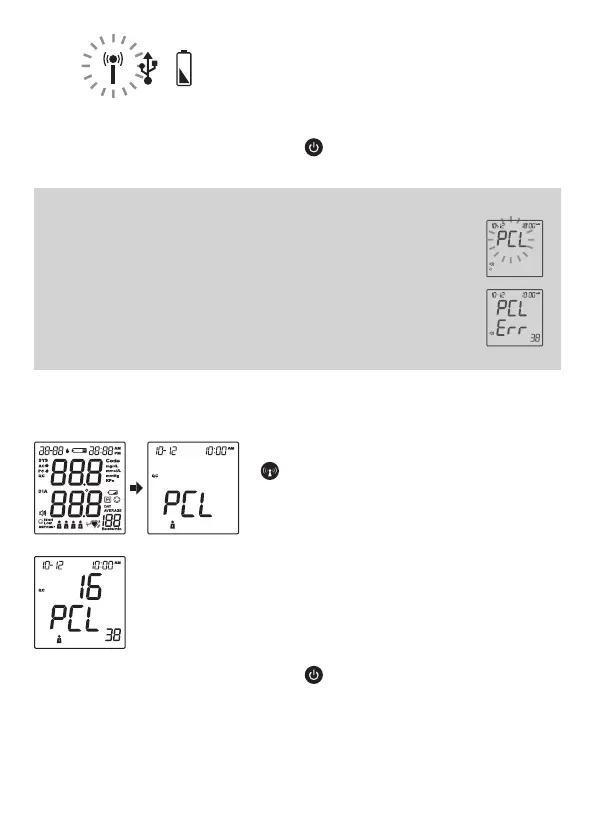
When the RF indicator is blinking in blue,
the data transmission has started. When
the RF indicator shows an orange light,
the 3G service is online.
Press and the meter will turn off.
NOTE:
• If the SIM card is not inserted, the “PCL” will start blinking, and
the meter will turn off automatically after blinking for 30 seconds.
• If the meter displays a message like the one on the right while
connecting to the server, please try again. If the problem still
persists, contact the place of purchase for help.
• While the meter is doing a data transmission, it is unable to
perform tests.
Signal Quality Check
To begin the quality check, press and hold
for 10-15 seconds when the meter is
off. Wait until PCL appears on the screen.
The number displayed in the middle of
the screen represents the signal quality
level from 1 to 31. The greater the
number, the better signal you have. For
example, the signal quality in this figure
display is 16.
Press to turn off the meter when you
finish.



 To Next Page