18
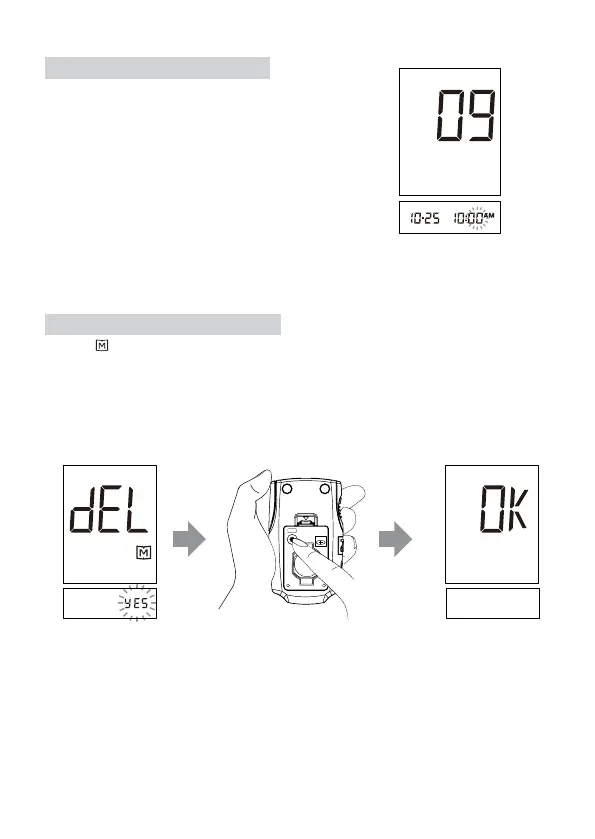
STEP 6. Set the Minutes
Press and release the M button to advance
one minute. To move faster, keep pushing
the M button down. When the desired
minute is displayed, press the set button to
go the next step for "Delete Memory".
STEP 7. Delete Memory
“dEL”, “
” and ashing Yes/no is displayed on the screen. If you do NOT want
to delete memory, press the M button to select “no” and then press set button to
go to step 9. If you’d like to delete ALL memory, press M button to select “yes”.
Then press set button to delete All memory. ”OK” is displayed in the meter,
which means that all data stored is deleted. Go to step 9.
BATTERY
SET
CR2032



 To Next Page