21
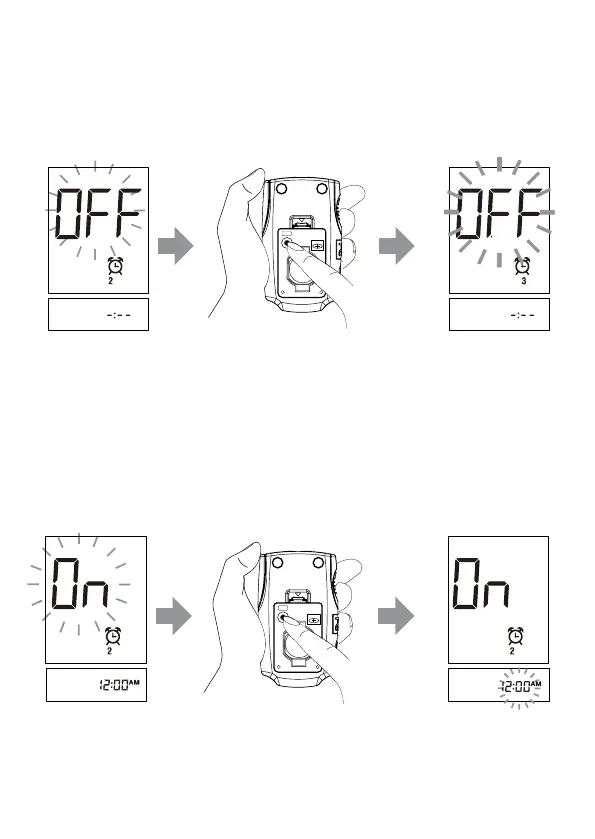
►Alarm 2 setting
● If you press the M button to select “OFF”, then press the set button to go to set
Alarm 3.
● If you press the M button to select “On”, then press set button to set hour.
Set hour and minute according to the instruction described in Alarm 1. After
finished, press the set button to go to set Alarm 3.
BATTERY
SET
CR2032
BATTERY
SET
CR2032



 To Next Page