8
Test Strip Setting the Meter
NOTE
This system uses enzyme of glucose
dehydrogenase (GDH).
The FORA GD20 meter should only be used
with FORA GD20 Test Strips. Using other test
strips with this meter will produce inaccurate
results.
Before using the meter for the fi rst time or if you
change the meter battery, you should check and
update these settings. Make sure you complete
the steps below and have your desired settings
saved.
Entering the Setting Mode
Start with the meter off
(no test strip inserted).
Press SET to turn on the
meter.
1. Setting the date
With the year fl ashing,
press M to select
the correct year. Press SET.
With the month fl ashing, press M to select
the correct month. Press SET.
With the day fl ashing, press M to select the
correct day. Press SET.
2. Setting the time format
Press and release M to select the desired time
format --- 12h or 24h. Press SET to confi rm.
3. Setting the time
With the hour fl ashing, press M to select the
correct hour. Press SET to confi rm.
With the minute fl ashing, press M to select
the correct minute. Press SET to confi rm.
4. Deleting the memory
With “dEL” and a fl ashing “ ” symbol on the
BATTERY
SET
CR2032
BackFront
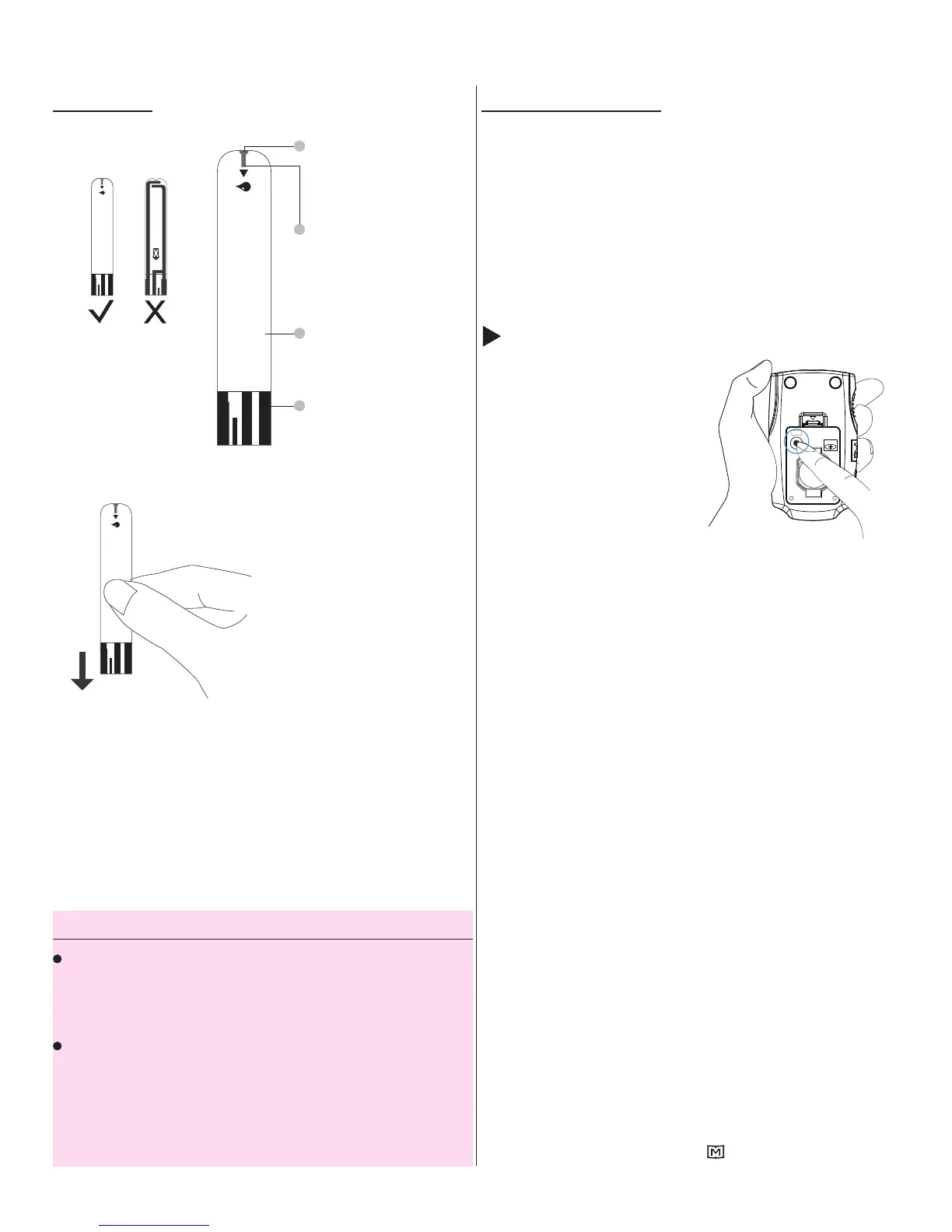
The front side of the
test strip should face
up when inserting
the test strip.
Absorbent Hole
Apply a drop of blood here.
The blood will be
automatically absorbed.
Confi rmation Window
This is where you confi rm if
enough blood has been
applied to the absorbent
hole in the strip.
Test Strip Handle
Hold this part to insert the
test strip into the slot.
Contact Bars
Insert this end of the test
strip into the meter. Push
it in fi rmly until it will go no
further.
1
4
3
2
ATTENTION:
Test results might be wrong if the
contact bar is not fully inserted into
the test slot.



 To Next Page