#00000
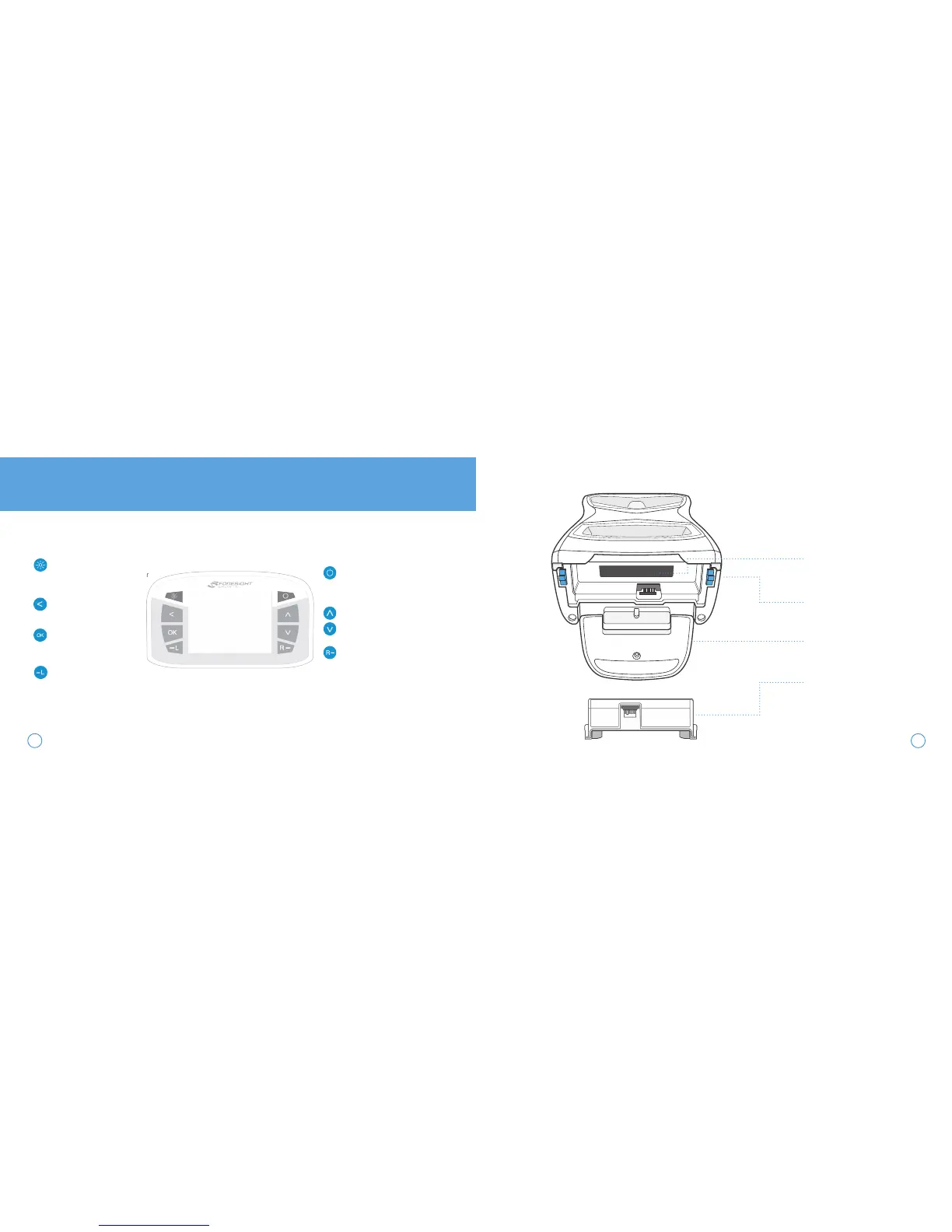
LCD DISPLAY
DISPLAY BACKLIGHT
Illuminates the display for better
viewing in low light situations
BACK KEY
Return to previous screen
OK KEY
Used to access Main Menu
and select system options
LEFT HANDED TRACKING
Switches GCQuad to left handed
tracking mode, indicated by the
blinking LED
POWER BUTTON
Turns device on/off
CURSOR KEYS
Used to toggle between ball/club
data and navigate system options
RIGHT HANDED TRACKING
Switches GCQuad to right handed
tracking mode, indicated by the
blinking LED
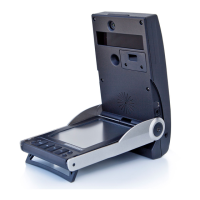
SERIAL NUMBER LABEL
Indicates product serial number
and MAC address
BATTERY RELEASE LEVERS
Used to release removable
battery from the GCQuad
Displays ball
KICKSTAND
Deployed to provide stability on
uneven surfaces
BATTERY
Removable lithium-ion power
pack
3
4


 To Next Page