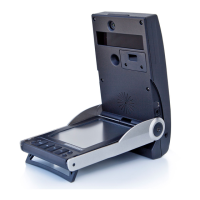
The GCQuad Menu Options screen is accessible by selecting
the OK key. The Main Menu consists of 5 options: Club Tracking,
Target Alignment, Settings, Diagnostics, and About. Use the ar-
row keys to select an option and the OK key to enter a screen.
To return to the Main Menu from inside an options screen, or to
exit the Main Menu, press the back key.
NAVIGATING THE MENU OPTIONS SCREEN
SYSTEM
OPTIONS
7


 To Next Page