EasyManua.ls Logo

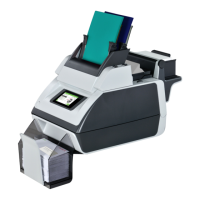
Formax DS-40i - User Manual

Formax DS-40i
64 pages
Print Icon
To Next Page IconTo Next Page
Loading...
Table of Contents
Read this First ...............................................................................................11
Safety...............................................................................................................1
Declaration of Conformity (EU only).................................................................1
About this manual............................................................................................1
Meet your Document System ......................................................................32
Introduction......................................................................................................3
Operating Controls...........................................................................................5
Control Panel...................................................................................................6
Power Up..........................................................................................................7
Home screen....................................................................................................8
What is a Job?.................................................................................................8
Job overview....................................................................................................9
Settings menu................................................................................................10
Remote assistance (optional)........................................................................10
Tri-Fold option................................................................................................11
Shut Down the System...................................................................................12
Working with Jobs ......................................................................................133
Introduction....................................................................................................13
Use an existing job.........................................................................................13
Create a New Job..........................................................................................14
Job Settings...................................................................................................15
Save a Job.....................................................................................................18
Run a Job.......................................................................................................19
A Daily Mail job..............................................................................................20
A Tri-Fold job..................................................................................................21
Loading the System ...................................................................................244
Installing the Envelope Catch Tray.................................................................24
| Page 1 | TOC | Jan-15-2019 03:21 |

Questions and Answers

  • D
    Daniel ColeAug 17, 2025
    What to do if my Formax Document Inserting System cannot be started after switching it on?
    • R
      rogersjessicaAug 17, 2025
      If your Formax Document Inserting System doesn't start after being switched on, there are several possible reasons. First, ensure the system is properly connected to the mains. Second, verify that you haven't accidentally switched the system off and if so, switch it back on. Third, check that you have pressed the power button located next to the touch screen. Finally, make sure all covers are closed, as the system will not start if a cover is open.
  • S
    Sharon WintersAug 19, 2025
    Why is the flap not sufficiently moistened on my Formax Document Inserting System?
    • J
      Jason HenryAug 19, 2025
      Several factors can cause insufficient moistening of the envelope flap in your Formax Document Inserting System. Check the water level and refill if needed. Inspect the brushes; if they are dry, replace them with the extra soaked set. If the brushes are dirty, clean them. If they are worn out, replace them. Ensure the current job includes envelope sealing. Also, verify that the envelope meets the required specifications. Poor envelope quality can also be a factor, so manually seal an envelope to test the adhesion. Finally, check and adjust the sealing position in the supervisor menu if it's not correctly set.
  • W
    wandarobinsonAug 22, 2025
    What to do if envelopes are not closed properly by my Formax Document Inserting System?
    • R
      Rodney LeeAug 22, 2025
      If envelopes are not being sealed correctly by your Formax Document Inserting System, consider these potential causes: insufficient moistening (refer to the symptom “Flap not sufficiently moistened”), ensure the current job is programmed to seal envelopes, verify that the document and enclosure sizes match the job settings, and confirm that the document feeder side guides are correctly positioned. You may also need to check and adjust the envelope stop position.
  • M
    Michael HaydenAug 25, 2025
    Why does my Formax Document Inserting System stop while inserting (stoppage at the inserting point)?
    • R
      Richard MartinezAug 26, 2025
      If your Formax Document Inserting System stops during insertion, it could be due to several reasons. The inserted document might be too long or not correctly folded, so ensure the document size and enclosure size equals the job settings. Check the envelope specifications to ensure the envelope throat is correct. Also, faulty envelopes that are glued inside or have a window not glued properly can cause stoppages; eliminate any such envelopes.
  • J
    jasonstewartAug 27, 2025
    What causes my Formax Document Inserting System to feed envelopes irregularly?
    • C
      Catherine MitchellAug 27, 2025
      Irregular envelope feeding in your Formax Document Inserting System can be caused by two main issues. First, check if the hopper is almost empty and refill it if needed. Second, ensure the side guides are not set too narrowly; check and adjust them as necessary.
  • H
    Haley BoydAug 30, 2025
    Why does my Formax Document Inserting System stop with the envelope at the insert position (flap not open)?
    • Q
      qhernandezAug 30, 2025
      If your Formax Document Inserting System stops with the envelope at the insert position and the flap isn't open, there are a few potential reasons. The envelopes may be stacked reversed in the hopper, so check the envelope feed adjustments and place the envelopes correctly. The envelope flap might be sticking, so ensure envelopes are stored according to specifications. It is also possible that the wrong envelope type is being used (not according to specifications or job settings), so change the envelopes to match the specifications.
  • J
    John ValdezSep 2, 2025
    What to do if my Formax Document Inserting System feeds envelopes twice?
    • T
      Thomas BrewerSep 2, 2025
      If your Formax Document Inserting System is double feeding envelopes, the envelopes might not be placed properly in the hopper. Check the envelopes and replace if needed.
  • M
    Michael JohnsonSep 5, 2025
    What causes the flap to be wrinkled and sometimes not opened on my Formax Document Inserting System?
    • K
      kellysmithSep 5, 2025
      A wrinkled or unopened flap on your Formax Document Inserting System can result from several issues. The envelope might not be within specifications, so check the specifications and change envelopes if needed. The flap may be sticking, so store envelopes according to specifications. Additionally, the envelopes might be stored or manufactured improperly, leading to a curled flap.
  • P
    Patricia MorganSep 7, 2025
    What causes the envelope stops to be skewed on my Formax Document Inserting System?
    • N
      Nichole JohnsonSep 7, 2025
      If the envelope stops are skewed on your Formax Document Inserting System, the side guides of the envelope hopper may be set too wide. Check the side guides and adjust if needed.
  • E
    elizabethreevesSep 10, 2025
    What to do if no document is fed in my Formax Document Inserting System?
    • M
      Marvin ShawSep 12, 2025
      If your Formax Document Inserting System is not feeding documents, first check if the feeder is empty and refill it. Second, ensure that the side guides are not set too narrowly and adjust them accordingly. Finally, verify that the feeder trays are locked by pushing the lever to lock the feeder.

Formax DS-40i Specifications

General IconGeneral
ModelDS-40i
TypeDocument Inserting System
Fold TypesC, Z, Double Parallel
Sheet Weight16 lb to 110 lb
Power Requirements120V, 60Hz
Feed CapacityUp to 325 sheets