Settings menu5
Open the Settings Menu
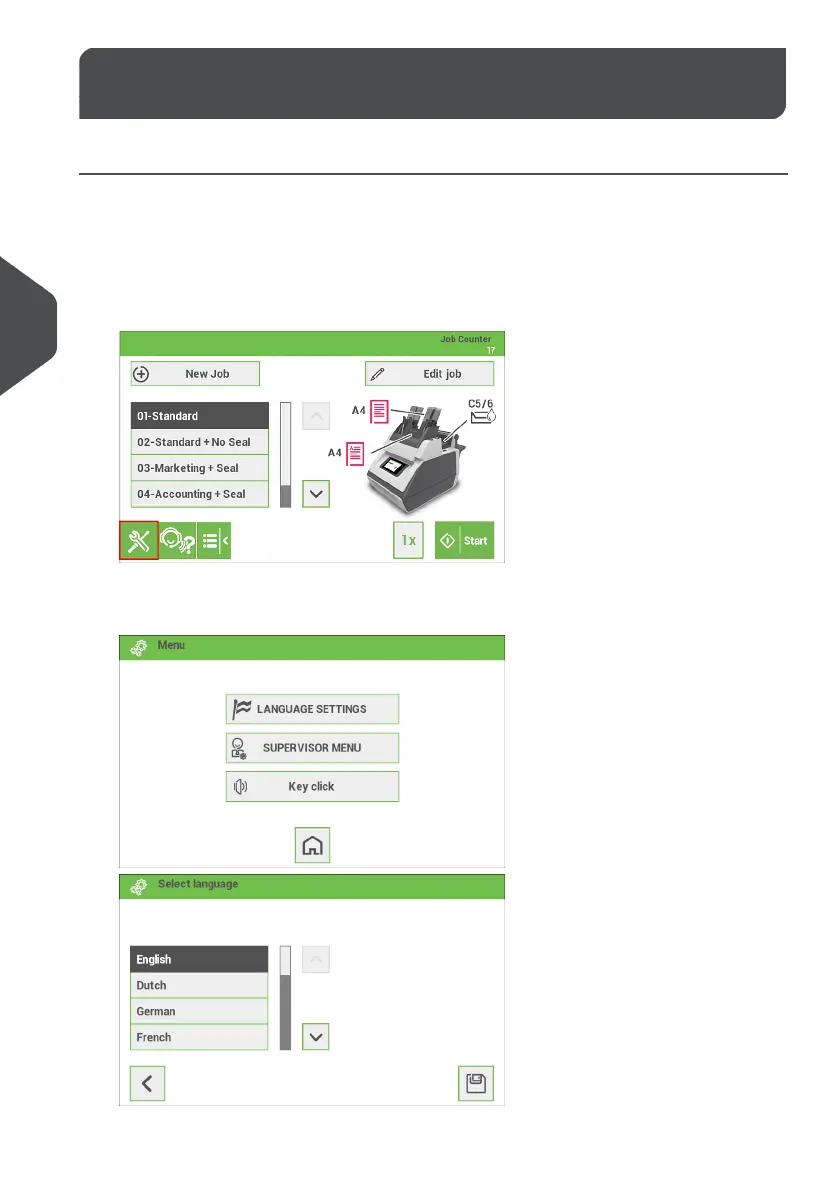
In the settings menu for the operator it is possible to set the language. It is also possible
to open the Supervisor menu (locked with a PIN code).
If you want to view or edit any of the Operator Settings:
From the home screen open the settings menu bar and tap the [Settings] symbol.1.
2. Tap [Language settings] if you want to change the language of the User Interface.
Save the setting by tapping the disk symbol button.
32
| Page 32 | Jan-15-2019 03:21 | Settings menu
5
English


 To Next Page