Document path
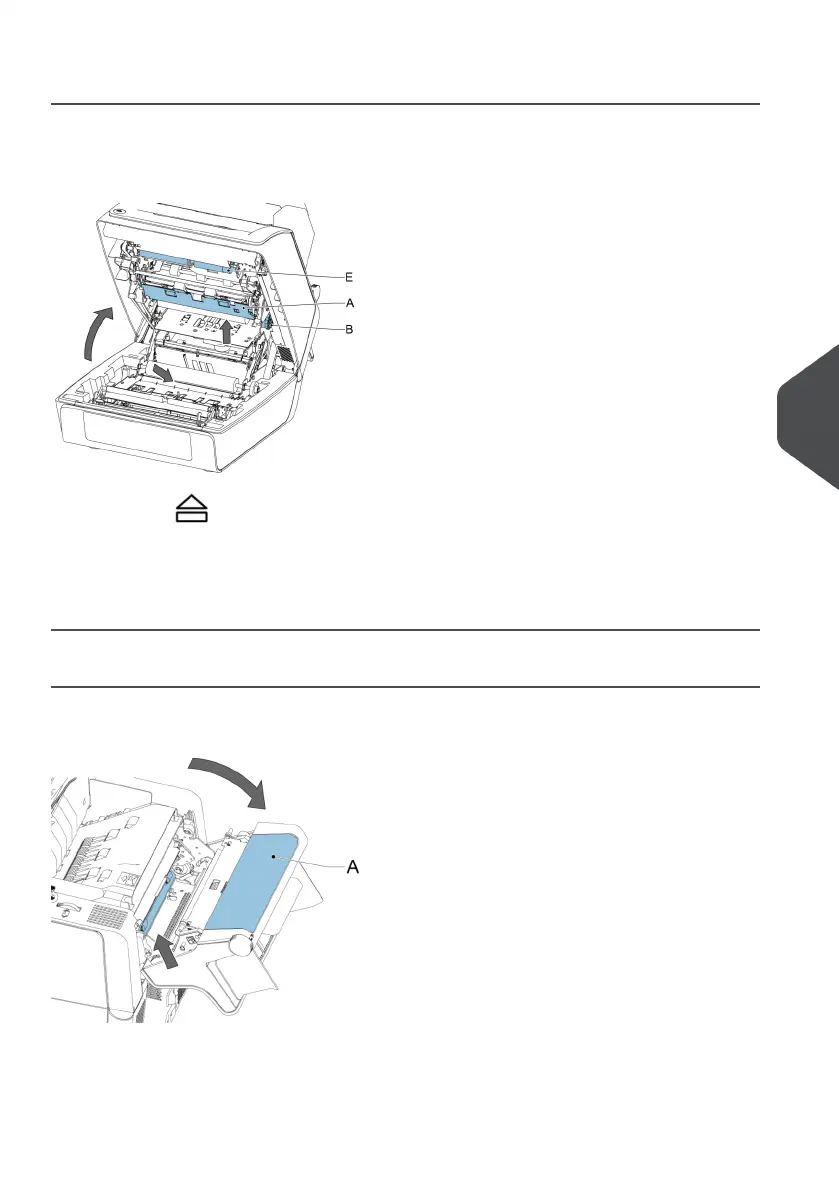
When a stoppage occurs somewhere in the document path, remove the documents as
follows:
1.
Press the button to open the system.
2. If necessary lift flap [A], or rotate [B] or roller [E] to transport the document.
3. Remove the documents.
4. Close the System.
Feeder 3
When a stoppage occurs in feeder 3, remove the document or envelope as follows:
1. Press flap A of feeder 3 and rotate the feeder downward.
2. Remove the document or envelope.
3. Close the feeder.
7
English
45
| Page 45 | Jan-15-2019 03:21 | Fault finding


 To Next Page