4 Introduction | 5
2.2 Technical Data
Form 2
Printer
Form 2
Finish Kit
Resin
Cartridge
Form 2
Resin Tank
Form 2 Build
Platform
Shipping
Dimensions
18 × 18 × 27 in
(46 × 46 × 68 cm)
8 × 9 × 9 in
(46 × 23 × 23 cm)
9.5 × 8 × 3 in
(24 × 20 × 8 cm)
11.25 × 11 × 3 in
(29 × 28 × 8 cm)
7 × 6.75 × 3 in
(18 × 17 × 8 cm)
Shipping
Weight
44 lbs
(20 kg)
6.6 lbs
(3 kg)
3.3 lbs
(1.5 kg)
1.8 lbs
(0.85 kg)
1.5 lbs
(0.67 kg)
Product
Weight
28.5 lbs
(13 kg)
5.7 lbs
(2.6 kg)
3-3.5 lbs
(1.35-1.6 kg)
1.4 lb
(0.65 kg)
1.4 lb
(0.65 kg)
Power Requirements 100–240 V
1.5 A 50/60 Hz
65 W
Sound Emission Does not exceed 70 dB(A).
Radiation Information The Form 2 is a Class 1 Laser product. Accessible radiation is within
Class 1 limits.
Ethernet Connectivity RJ-45 Ethernet (10BASE-T/100BASE-TX) LAN Port
Use a shielded CAT-5 Ethernet cable (not included).
Wi-Fi Connectivity Protocol: IEEE 802.11 b/g/n
Frequency: 2.4 GHz, does not support 5 GHz
Supported security: WEP, WPA
See 9. Technical Specifications for additional specifications.
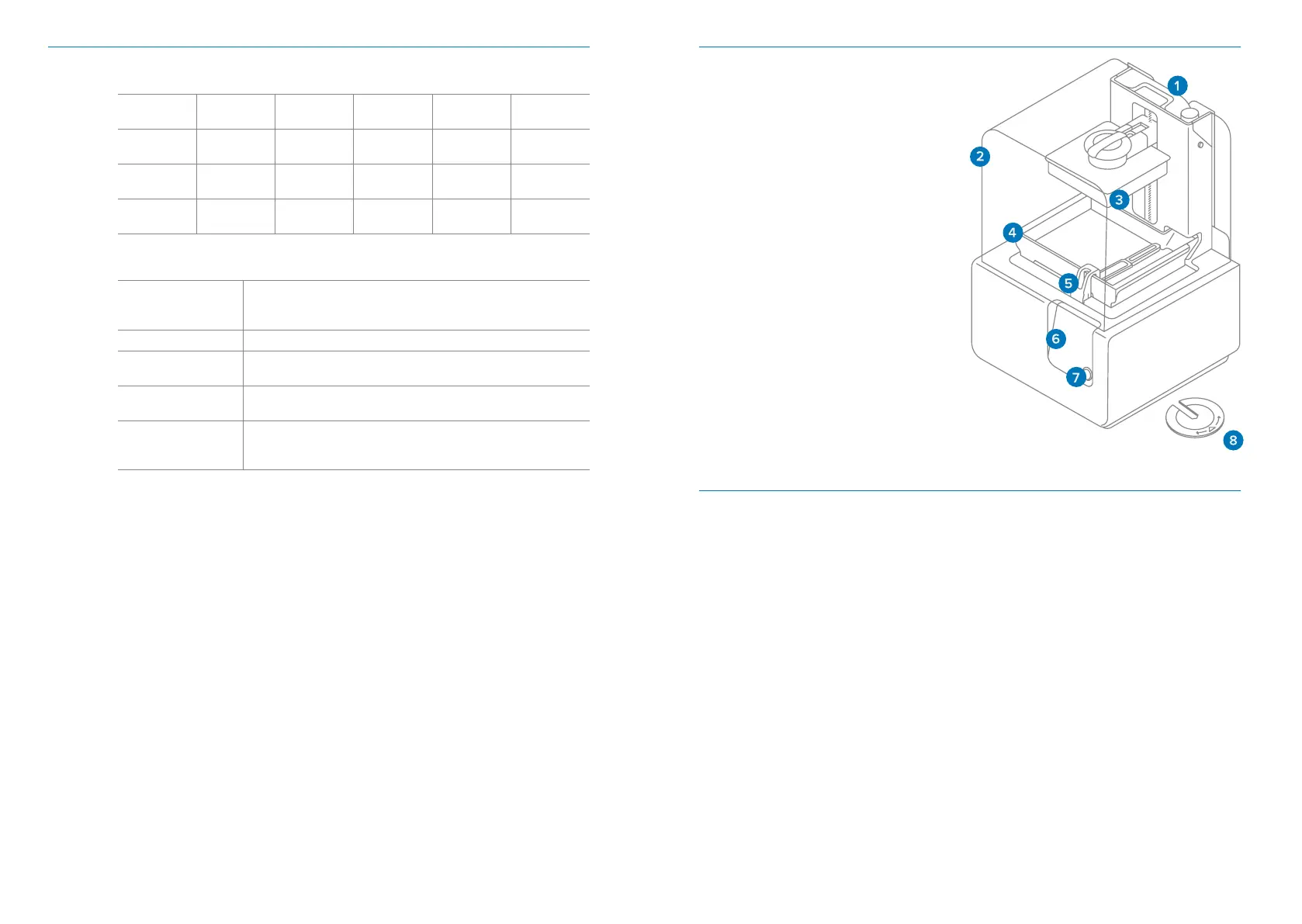
2.3 Product Elements
1. Cartridge
2. Cover
3. Build Platform
4. Resin Tank
5. Wiper
6. Touchscreen
7. Button
8. Leveling Tool
See 11. Glossary for full
product terminology
2.4 Understanding the Touchscreen
The Form 2 display includes a touchscreen and button.
The LCD touchscreen displays print information, settings,anderror messages.
It serves as the user interface for the Form 2.
The push button starts and pauses printswhen prompted by the touchscreen. Hold
the button to wake and sleep the printer. A light surrounding the button flashes
when the printer is ready to start a print. Press the button to start or stop a print.



 To Next Page