EasyManua.ls Logo

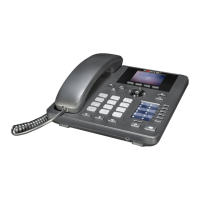
Fortinet FON-375 - User Manual

Fortinet FON-375
28 pages
Print Icon
To Next Page IconTo Next Page
Loading...
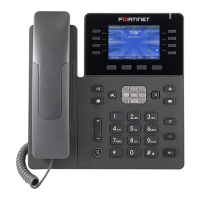
FortiFone™ User Guide
for FON-375

Table of Contents

Questions and Answers

  • S
    shelbybrownAug 2, 2025
    Why is my Fortinet IP Phone not obtaining an IP address?
    • M
      Maureen MaxwellAug 2, 2025
      If your Fortinet IP Phone isn't getting an IP address, it's likely the DHCP server isn't responding. First, make sure your DHCP server (typically your router) is online. If it is, try rebooting the router or DHCP server. If problems persist, it might need advanced network configuration, so contact your administrator.
  • M
    Micheal OwensAug 10, 2025
    What to do if Fortinet FON-375 IP Phone will not register?
    • G
      Gregory GuzmanAug 10, 2025
      If your Fortinet IP Phone won't register, there are a few things to check. First, on the Extension page of the FortiVoice interface, make sure the MAC address is entered correctly and the Phone Type is FON-375. Save the configuration and reboot the phone. Next, on the phone itself, verify that the TFTP IP address is correct. If your phone is set up as an external extension, check the network connection and firewall settings at the phone system location.
  • T
    Todd CoxAug 17, 2025
    How to fix no audio during a call on Fortinet FON-375 IP Phone?
    • B
      Brandi RivasAug 17, 2025
      If you have no audio during a call on your Fortinet IP Phone, first check the connections for your handset or headset. Second, ensure that the phone is properly registered with the phone system. Finally, if the phone is configured as an external extension, verify the network connection and firewall settings at the phone system location.
  • D
    danny27Aug 25, 2025
    How to troubleshoot a blank display on Fortinet FON-375 IP Phone?
    • J
      jimmylynchAug 26, 2025
      If the display on your Fortinet IP Phone is blank, confirm the phone’s power source. If you're using the power adapter, make sure it is plugged in; if it still doesn’t work, replace the power adapter. If you're using Power over Ethernet (PoE), ensure your Ethernet cable is plugged into the INTERNET port on the back of your phone and that the PoE switch is properly configured; if it still doesn’t work, replace the Ethernet cable.

Summary

Introduction and Phone Features

Phone Features Overview

Details the phone's physical features, including display, keys, speakerphone, and network ports.

Display Layout and Icons

Explains the phone's screen elements, status icons, and softkey functions.

Installation and Initial Setup

Attaching the Stand

Provides instructions for mounting the phone for desktop or wall use.

Connecting the Phone

Guides users on connecting the handset, headset, network, and power.

Initial Phone Configuration

Outlines steps for setting up the phone as an internal or external extension.

Phone Personalization and Configuration

Menu Navigation and Data Entry

Describes how to navigate menus and enter data using the dial pad and softkeys.

Status and Network Settings

Covers phone status information, IP settings, and network connection modes.

Call Features and Dialing Rules

Details configuration for call handling features and dialing routing rules.

Security, Maintenance, and Applications

Explains security settings, maintenance tasks, and phone applications.

Phonebook and Contact Management

Guides on managing contacts, groups, speed dial, and the blacklist.

Phone Operations, Troubleshooting, and Warranty

Basic and Advanced Call Operations

Covers receiving, placing, ending calls, hold, mute, transfers, and conferences.

Call Waiting, DND, and Voicemail

Explains managing call waiting, do not disturb, and accessing voicemail.

Troubleshooting Common Issues

Provides solutions for common problems like display, registration, and audio issues.

Warranty Information

Details the phone's hardware warranty coverage and service procedures.

Fortinet FON-375 Specifications

General IconGeneral
BrandFortinet
ModelFON-375
CategoryIP Phone
LanguageEnglish

Related product manuals