WWW.FOSCAM.COM FI8608W User Manual
There are two modes below Wireless Settings: Infrastructure and Point_to_Point.
3.4.1 Infrastructure mode
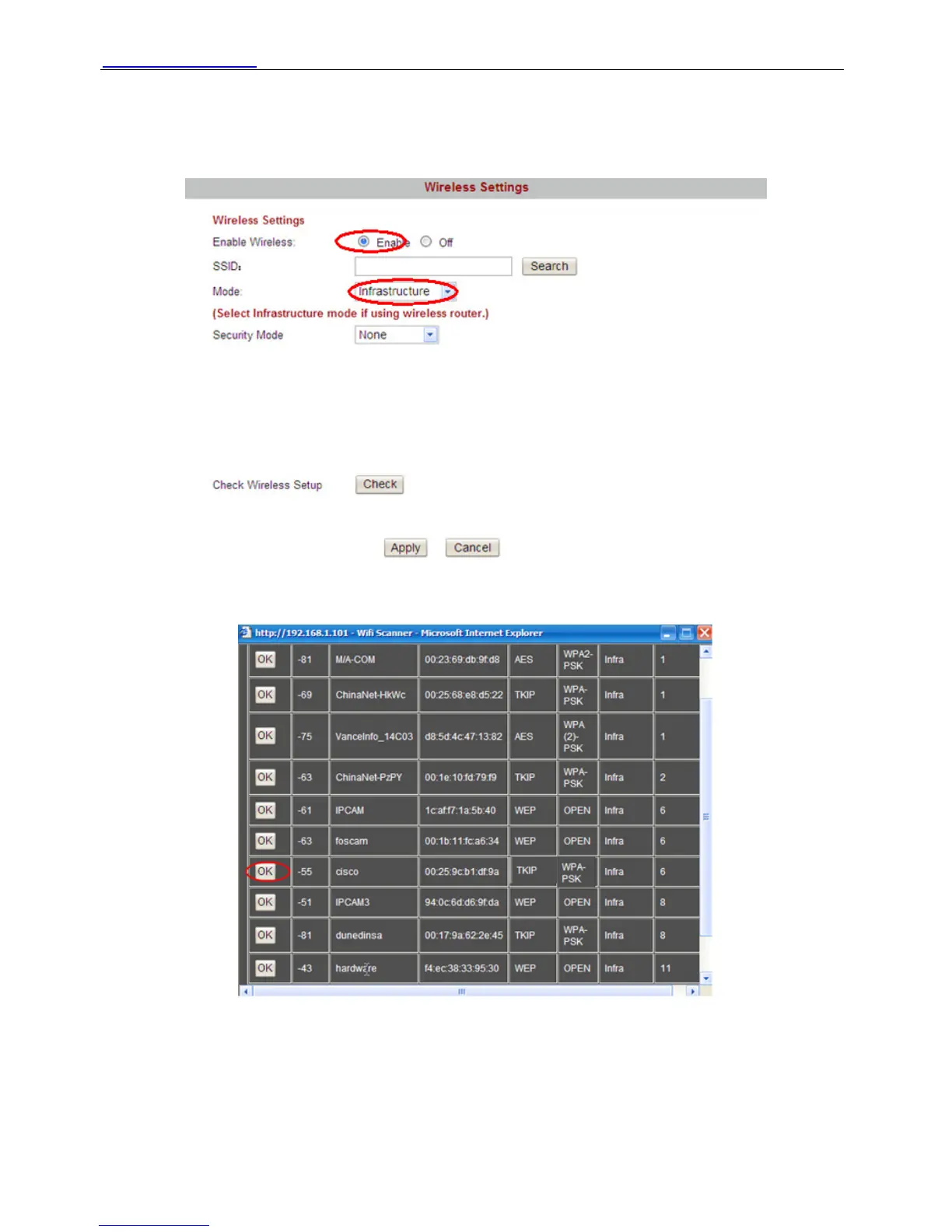
First Enable wireless and choose Infrastructure mode.
Figure 3.14
Click Search button and the camera will detect WIFI device around the area.
Figure 3.15
Choose the SSID of your router in the list and click OK in the front of it, the corresponding
information (SSID, Security mode, WPA Algorithm & WEP key index) will be filled automatically
as the following picture.
Shenzhen Foscam Intelligent Technology Co., Limited
Tel: 86 755 2674 5668 Fax: 86 755 2674 5168
29



 To Next Page