WWW.FOSCAM.COM FI8608W User Manual
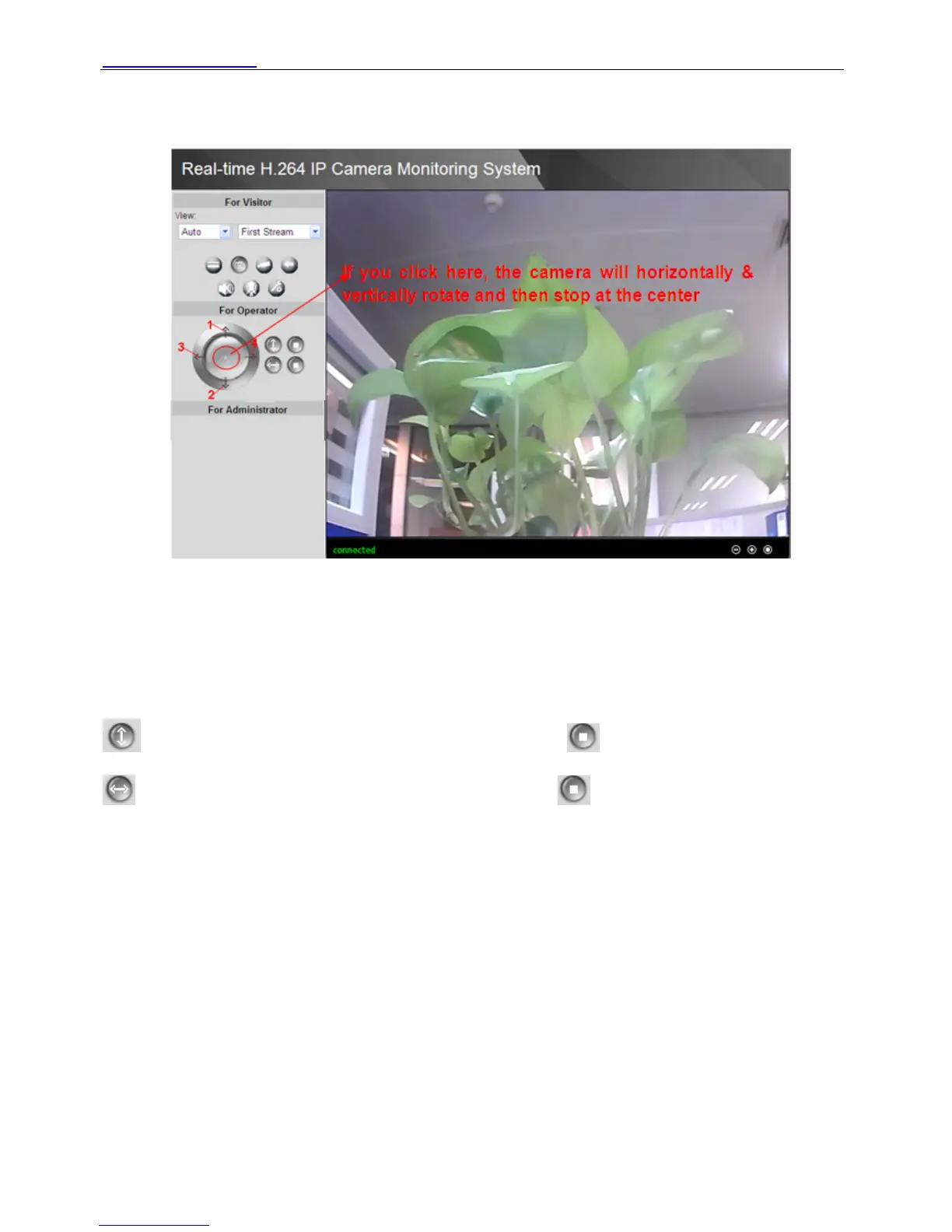
2.4 For Operator
Figure 2.22
1 Click this icon, camera will rotate up
2 Click this icon, camera will rotate down
3 Click this icon, camera will rotate left
4 Click this icon, camera will rotate right
: Click this icon; camera will rotate up and down. Click to stop.
: Click this icon; camera will rotate left and right. Click to stop.
Another way to operate the cradle head:
Put the mouse at the living video, when the icon of the mouse changed, click the mouse, the
cradle head will rotate up/down/left/right too (Figure 2.23).
When the icon has three arrows, the speed of the rotation is fastest. And when the icon has one
arrow, the speed is lowest. But this type of camera dosen’t support this function because the
PTZ speed can not change.
Shenzhen Foscam Intelligent Technology Co., Limited
Tel: 86 755 2674 5668 Fax: 86 755 2674 5168
18



 To Next Page