WWW.FOSCAM.COM FI8608W User Manual
Figure 2.24
2.5 For Administrator
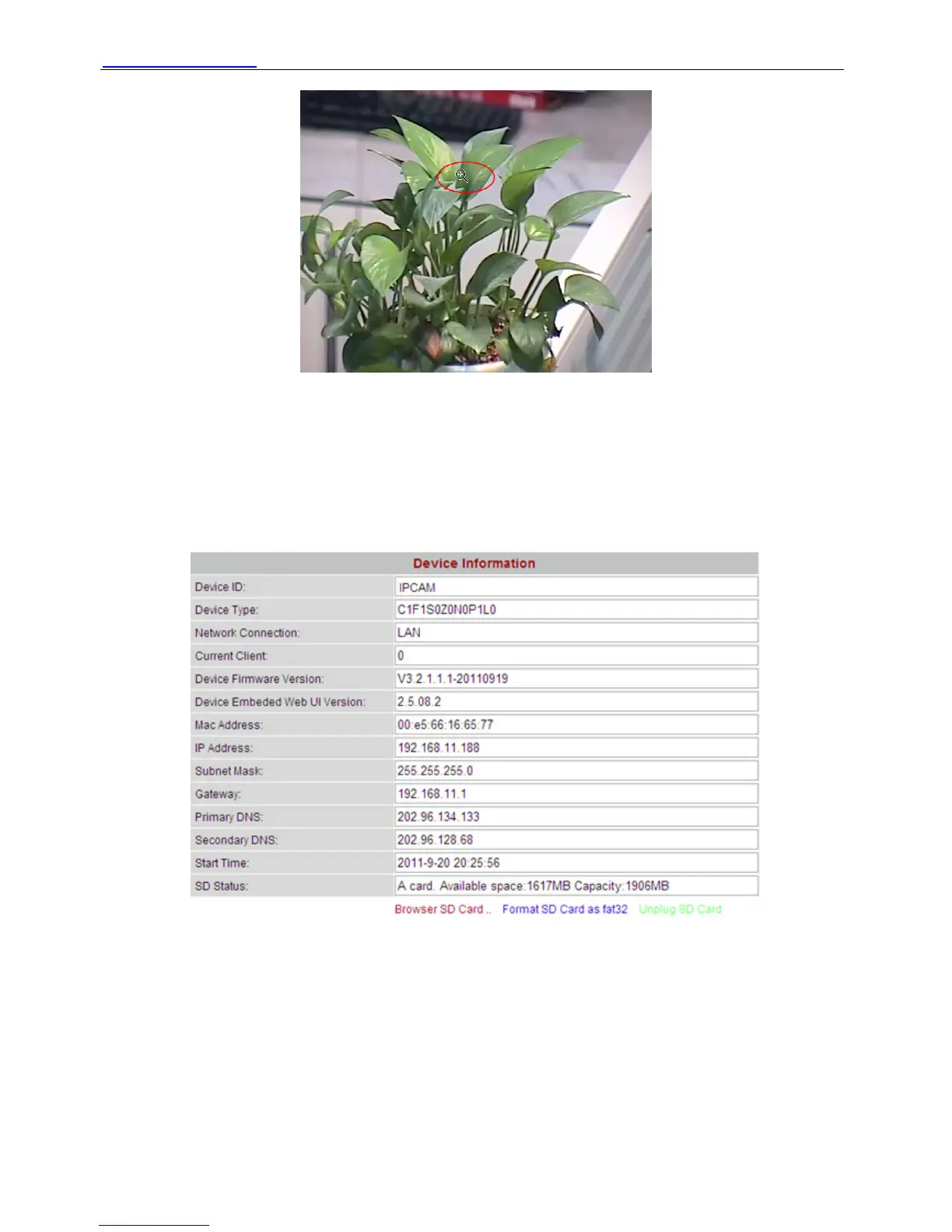
Click For Administrator, you will see the Device Information.
It contains Device ID, firmware version of the camera and other status of the camera.
Figure 2.25
Device ID: It displays “IPCAM”. This ID is different form the camera name. You can set any
camera name you like for the camera in “For Administrator—> Video—>Parenthesis Options”
and the camera name can be showed at the video window, but the device ID will always display
IPCAM.
Current Client: It shows that how many people are viewing the video. For example, the Current
Client shows 0, that means no people are viewing the video. If someone have logged in the
camera but do not open the video, the Current Client will not change.
SD Status: Some information about the plugged SD Card.
Shenzhen Foscam Intelligent Technology Co., Limited
Tel: 86 755 2674 5668 Fax: 86 755 2674 5168
20



 To Next Page