WWW.FOSCAM.COM FI8608W User Manual
Static IP users need not set DDNS service settings for remote access. When finished the
connection of Camera in LAN and port forwarding. You can access the camera directly from
Internet by the WAN IP and port number.
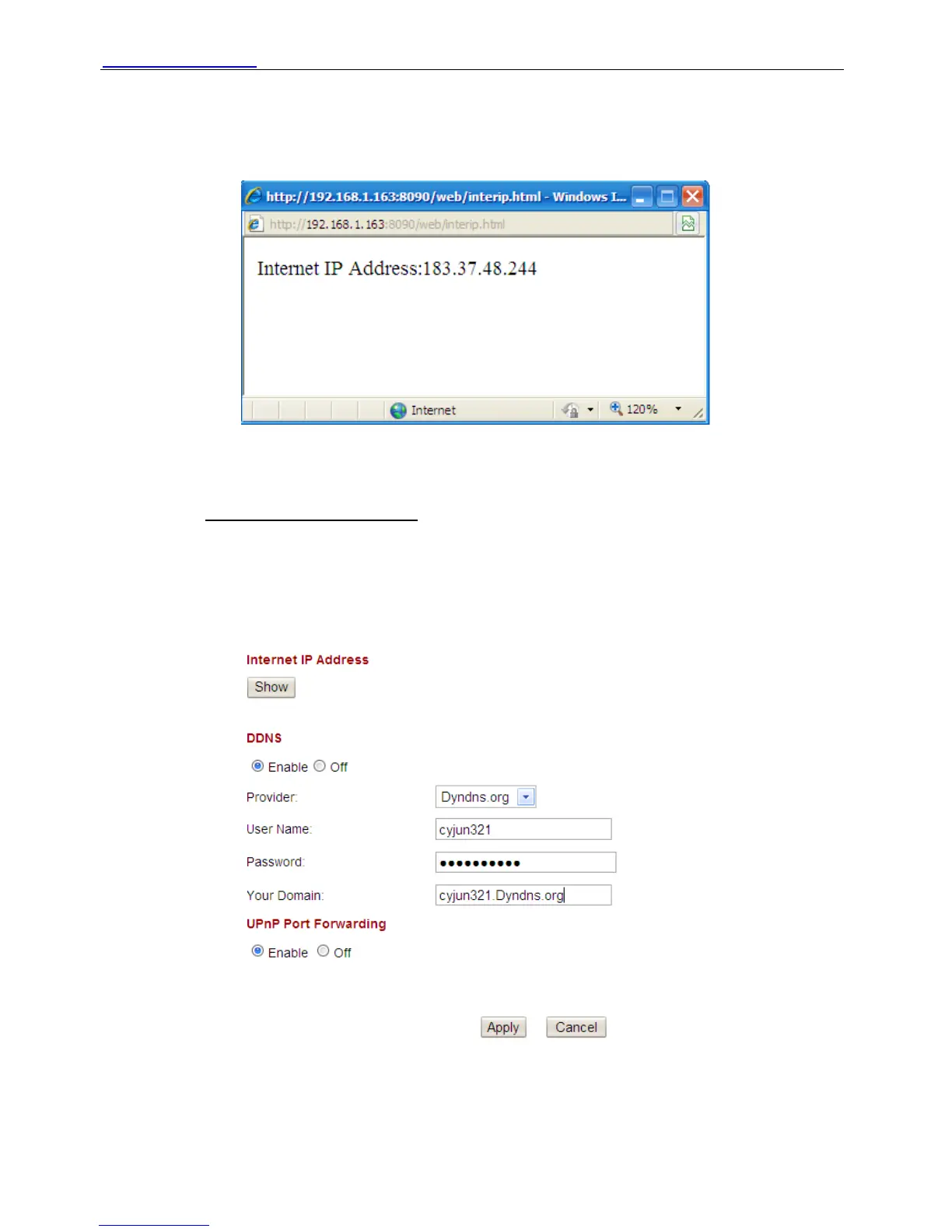
Click show, you will see a dialog box as below.
Figure 3.24
Enter WAN IP address and port number in the browser to login the camera.
For example: Http:// 183.37.48.244:8090
Note: Make sure the Port mapping is success. (Please read Quick Installation Guide about How
to do port mapping)
¾ Dynamic IP user
Please set DDNS service settings as follows. Use the DDNS domain name you got from the
dyndns website.
Figure 3.25
Please click Apply after fill in all the information.
You can use DDNS domain name and port number to login your camera at any place.
Shenzhen Foscam Intelligent Technology Co., Limited
Tel: 86 755 2674 5668 Fax: 86 755 2674 5168
34



 To Next Page