EasyManua.ls Logo

Foscam FI9804P - Page 54

Foscam FI9804P
70 pages
Print Icon
To Next Page IconTo Next Page
To Previous Page IconTo Previous Page
Loading...
w
w
www
www
.foscam.
.foscam.
us
us
Foscam Digital Technologies LLC
Telephone: 1-800-930-0949
53
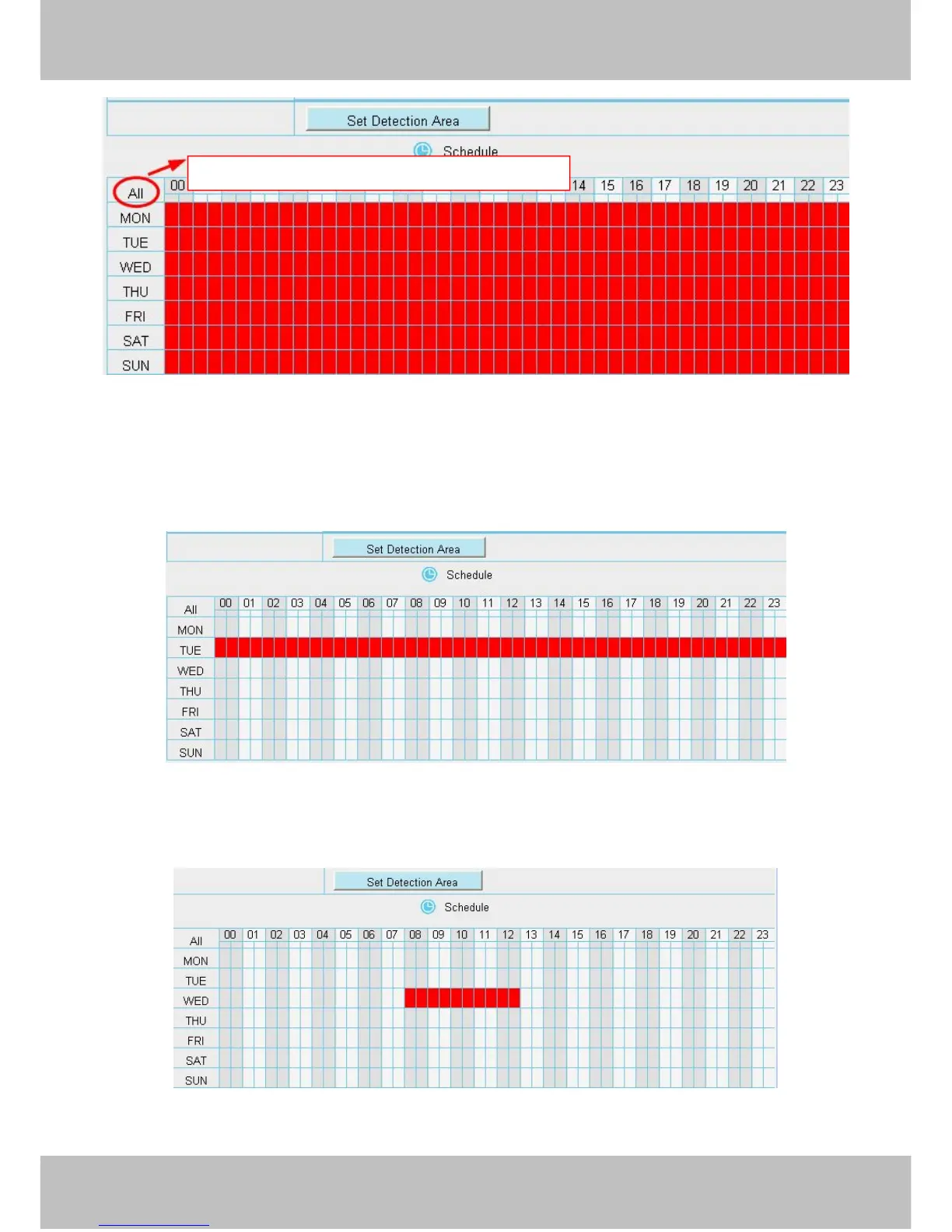
Figure 4.53
Specify an alarm schedule
Click the week day words, the corresponding column will be selected. For example, click TUE, the all column
of TUE turns to red, that means during Tuesday whole day, when something moving in the detection area, the
camera will alarm.

Figure 4.54
Press the left mouse and drag it on the time boxes, you can select the serial area.
Figure 4.55
Click this button and select all time range

Table of Contents

Related product manuals