www.foscam.com
Shenzhen Foscam Intelligent Technology Co., Limited
Tel: 86 755 2674 5668 Fax: 86 755 2674 5168
directly from the Internet using the hostname and port number.
What is the HTTP Port NO.?
Default HTTP Port is 88
All cameras have the default HTTP port of 88. For example, if the LAN IP link of the camera is
http://192.168.8.102:88, this means that the camera’s HTTP port is 88. You can change port 88 to another port
if you’d like such as 2000 or 8090, which will not be conflict with other existing ports like 25, 21,10000.Here you
can set the port no. between 1 and 65535.
Change the default http no.88 to another one.
How to assign a different HTTP Port No. and fixed the LAN IP of the camera by the IP
Camera Tool
?
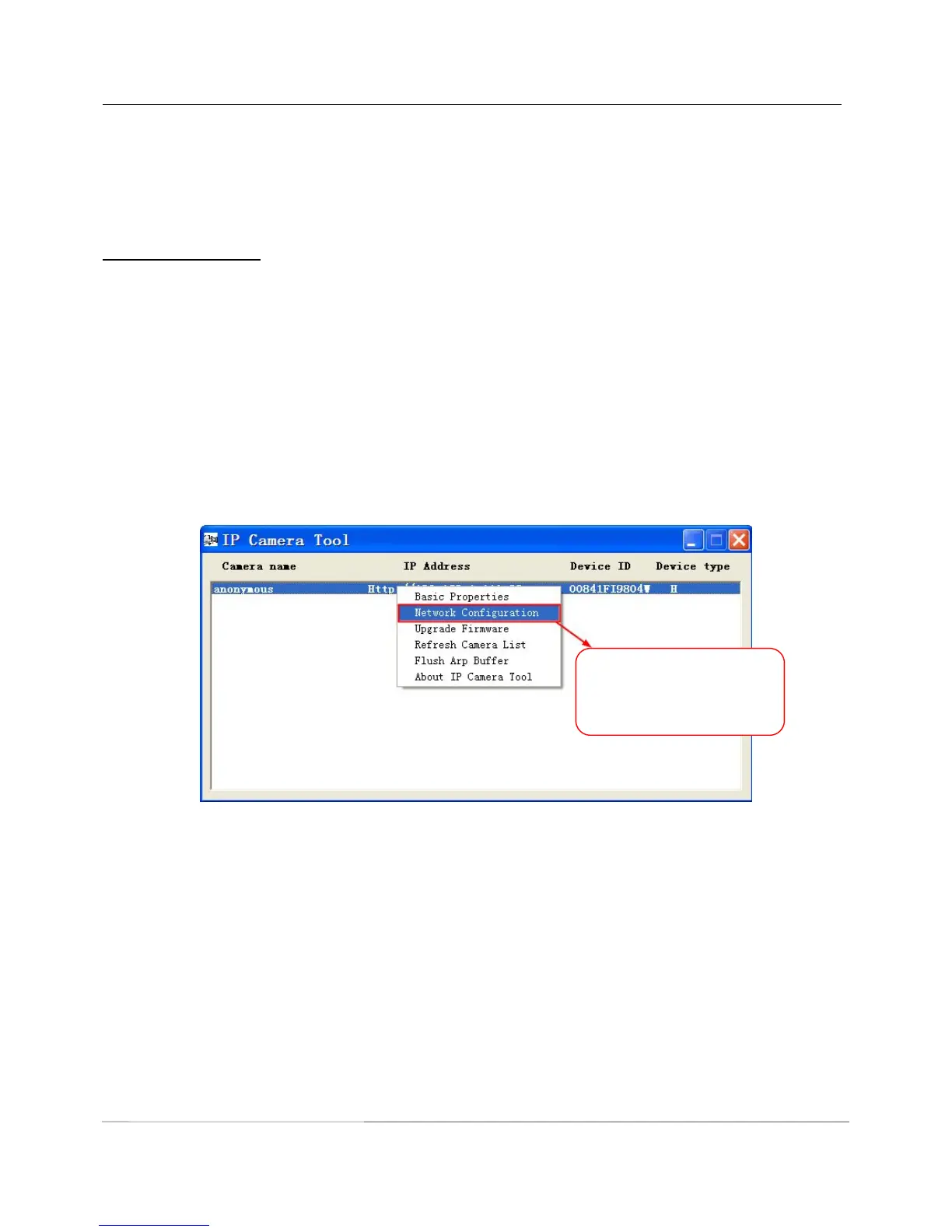
Step 1: Open the IP Camera Tool, select the camera you would like to change the port of, right click on the IP
address, and click on ”Network Configuration”, this brings up the network configuration box as shown in Figure
2.4 and 2.5.
Figure 2.4



 To Next Page